We’re thrilled to announce the launch of our latest feature, Targets!This innovation marks a significant leap forward in our mission to highlight and enhance the critical work behind software development.
The new Targets allow you to:
Set clear, ambitious goals that push the envelope.
Track your progress with insights that matter.
Celebrate every milestone, knowing exactly what it took to get there
This update is not just a feature; it’s our commitment to supporting your team’s growth at every turn. We’ve dedicated months to refining New Targets, ensuring it’s powerful yet user-friendly, ready to meet the dynamic needs of your teams.
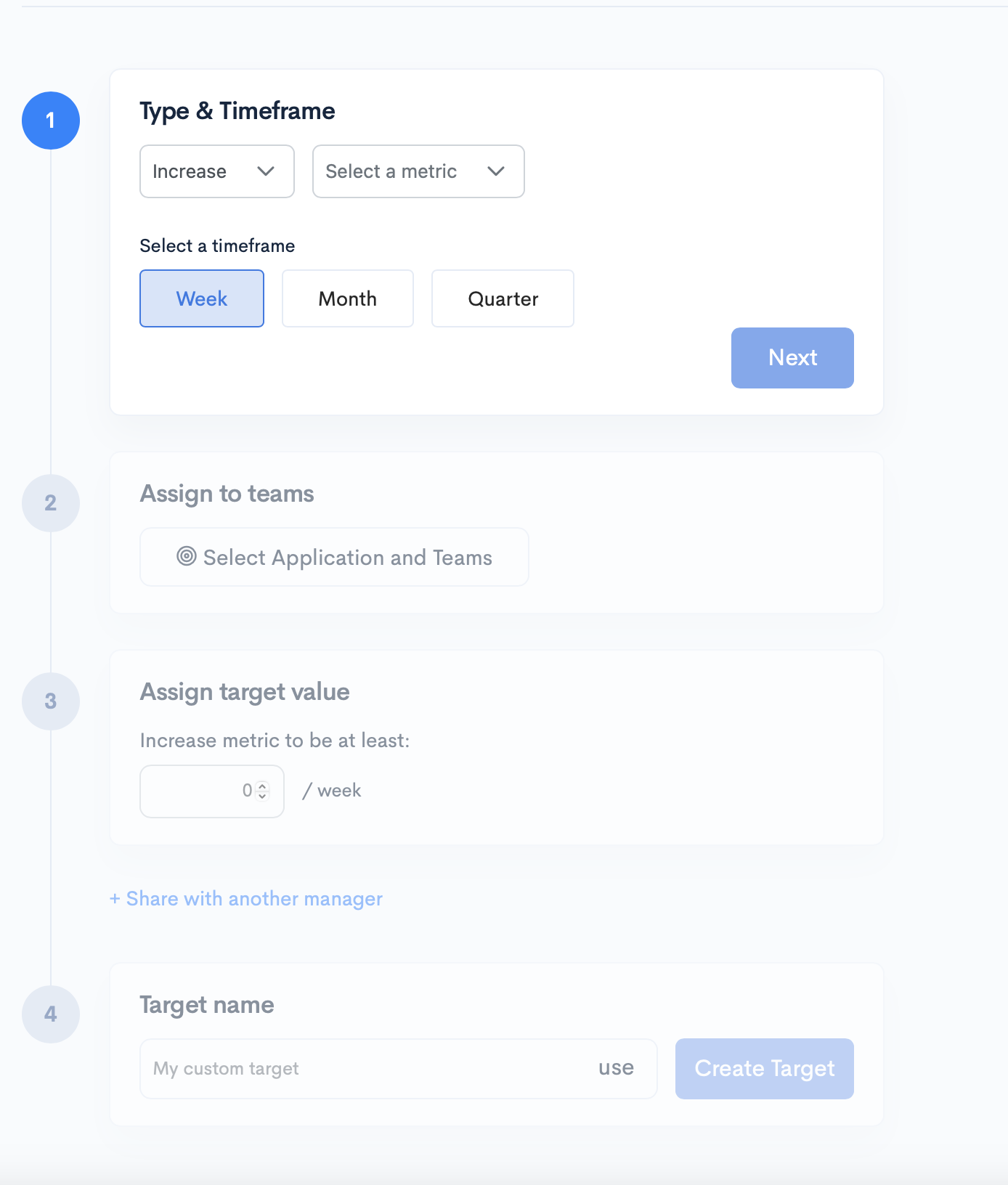
Click the Create New Target button to create a new target and set up the Type & Timeframe by selecting the following:
The metric you want to set a target for;
If you want this metric to be Increased, Decreased, or set a Limit;
The timeframe you want to set this target for (quarter/month/week).
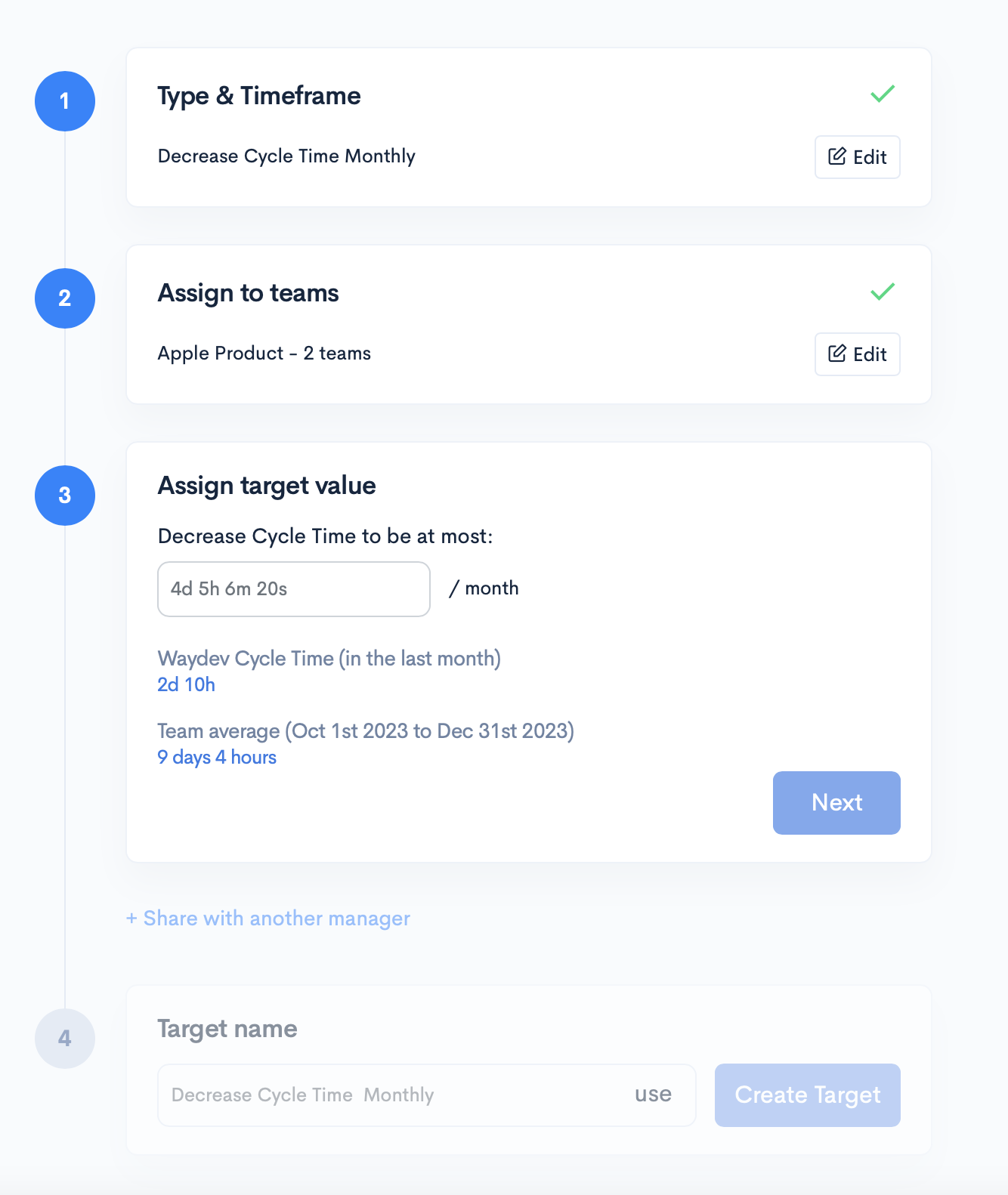
After setting up the type and timeframe and assigning teams, enter the specific target value you aim to achieve. During this step, Waydev displays the average value of the selected metric for the chosen team. This insight aids in setting a realistic and informed target.
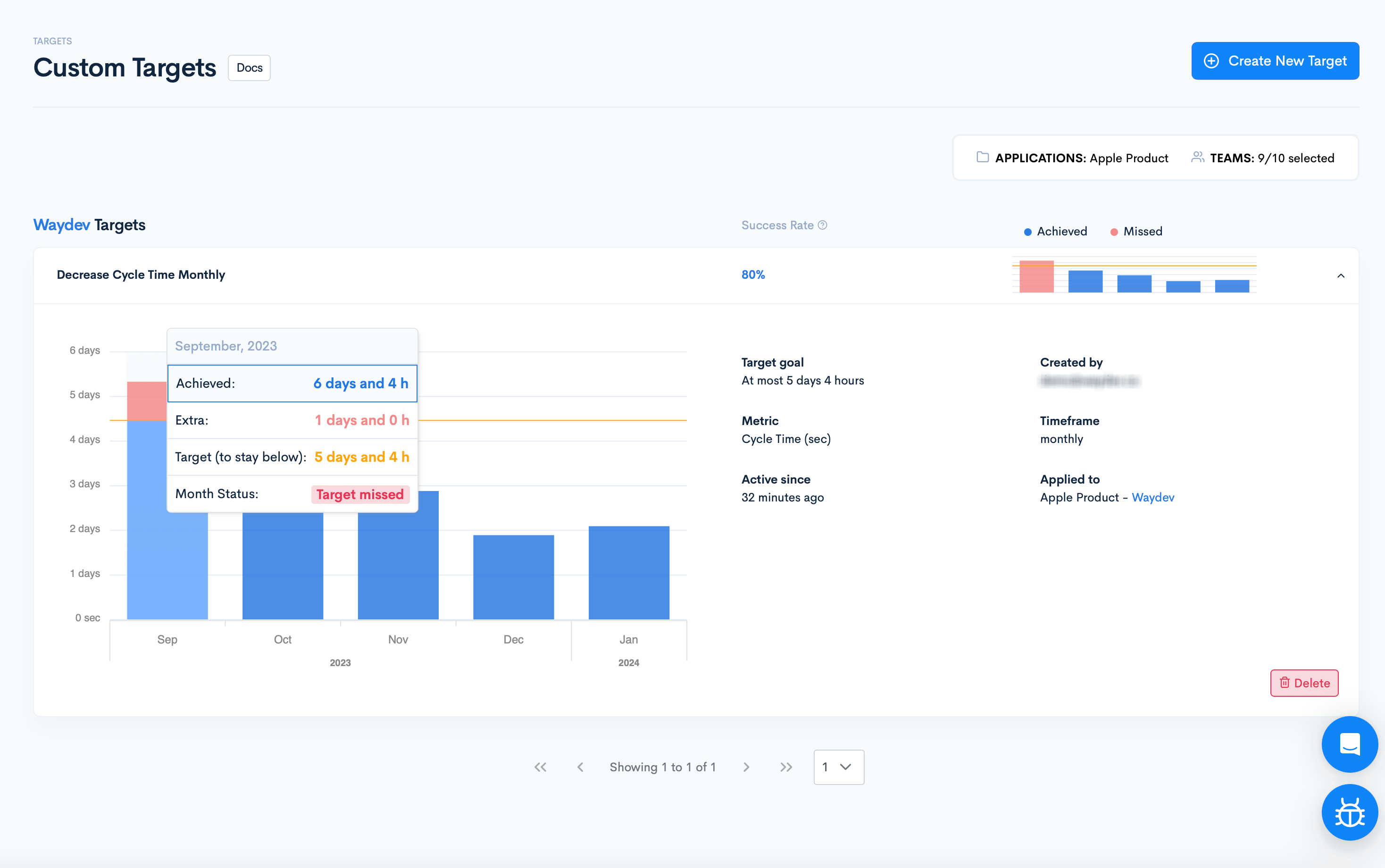
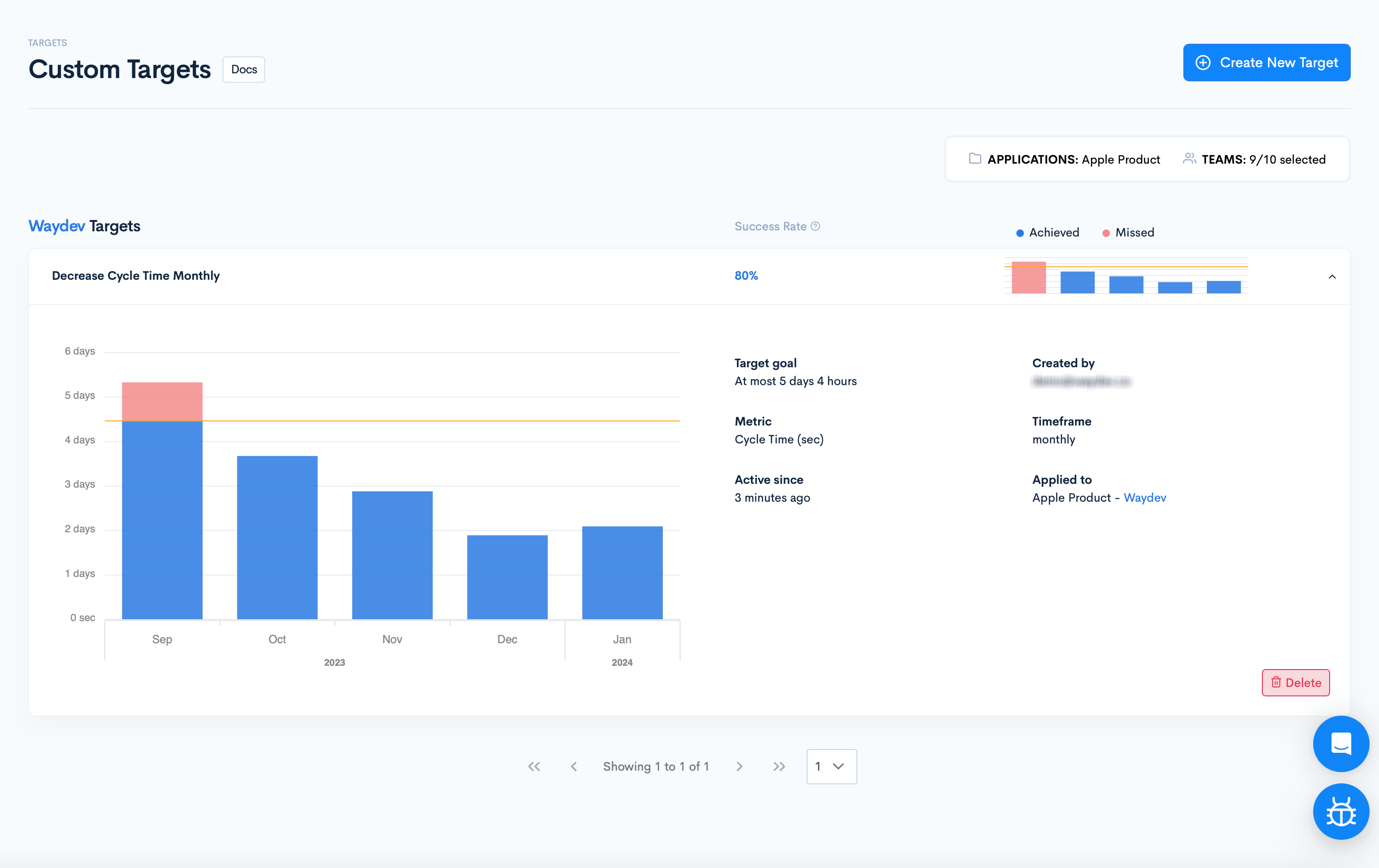
Once your target is created, it will be visible on the Targets page for the designated team. To delve into the specifics of a target, simply click on it within the Targets page. You’ll be presented with comprehensive details about the target, including:
Target Goal: The objective you’ve set.
Selected Metric: The metric you’re tracking.
Activation Date: When the target became active.
Creator: The user who created the target.
Timeframe: The designated period (quarters/months/weeks) for which the target is set.
Team: The team to which the target is applied to.
Performance Graph: A visual representation of the target’s historical achievement, with months, weeks, or quarters where the goal wasn’t met highlighted in red.