




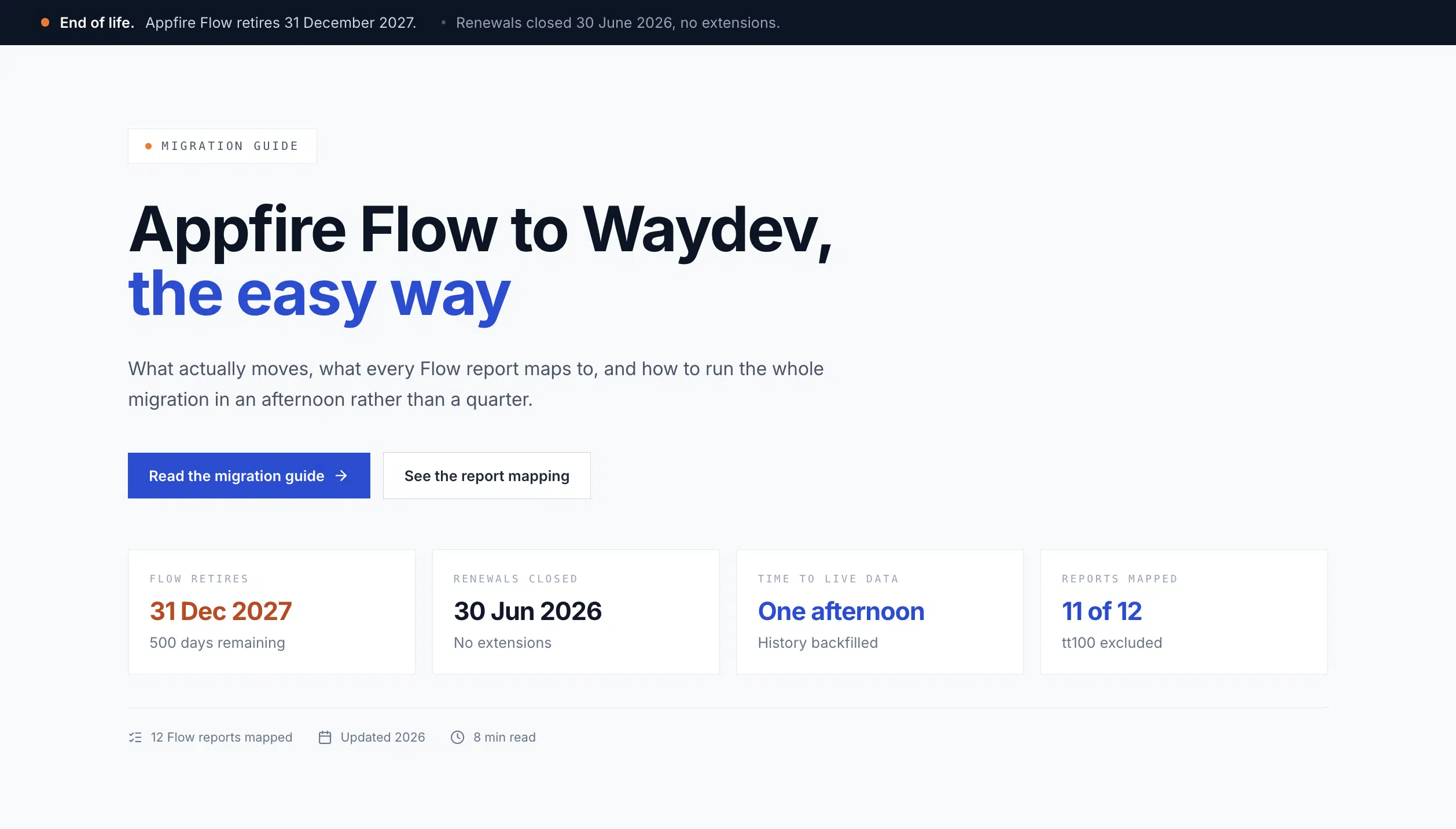

If your engineering reporting runs on Appfire Flow, you already know the situation. Renewals closed on June 30, 2026. The product retires on December 31, 2027. There is no option to extend. The only open question is what replaces it, and when.
Most of what has been written about this is a feature grid wrapped around a sales pitch. This post is the other thing: a step by step migration guide.
If you bought this product as GitPrime, watched it become Pluralsight Flow, and now see it invoiced as Appfire Flow, that is one product with three names. Pluralsight acquired GitPrime in 2019. Appfire acquired Flow from Pluralsight in February 2025. The dashboards your leadership team reviews every Monday have not changed owners in any way that helped you.
2027 enterprise migration guide · updated October 2026
Why move from Appfire Flow to Waydev Brain?
When replacing a legacy engineering intelligence system, preserve your history, team identities and reporting definitions first. Then evaluate whether the new intelligence layer supports private AI analysis, proactive alerts and flexible reporting.
Proprietary Waydev 15B and air-gapped deployment
Waydev Brain uses Waydev’s proprietary 15-billion-parameter SDLC model. A fully air-gapped deployment option supports organizations that require engineering intelligence within their own environment. Confirm infrastructure, data handling and access requirements in a security review.
Agents, Signals, AI Goals and Prompt Dashboards
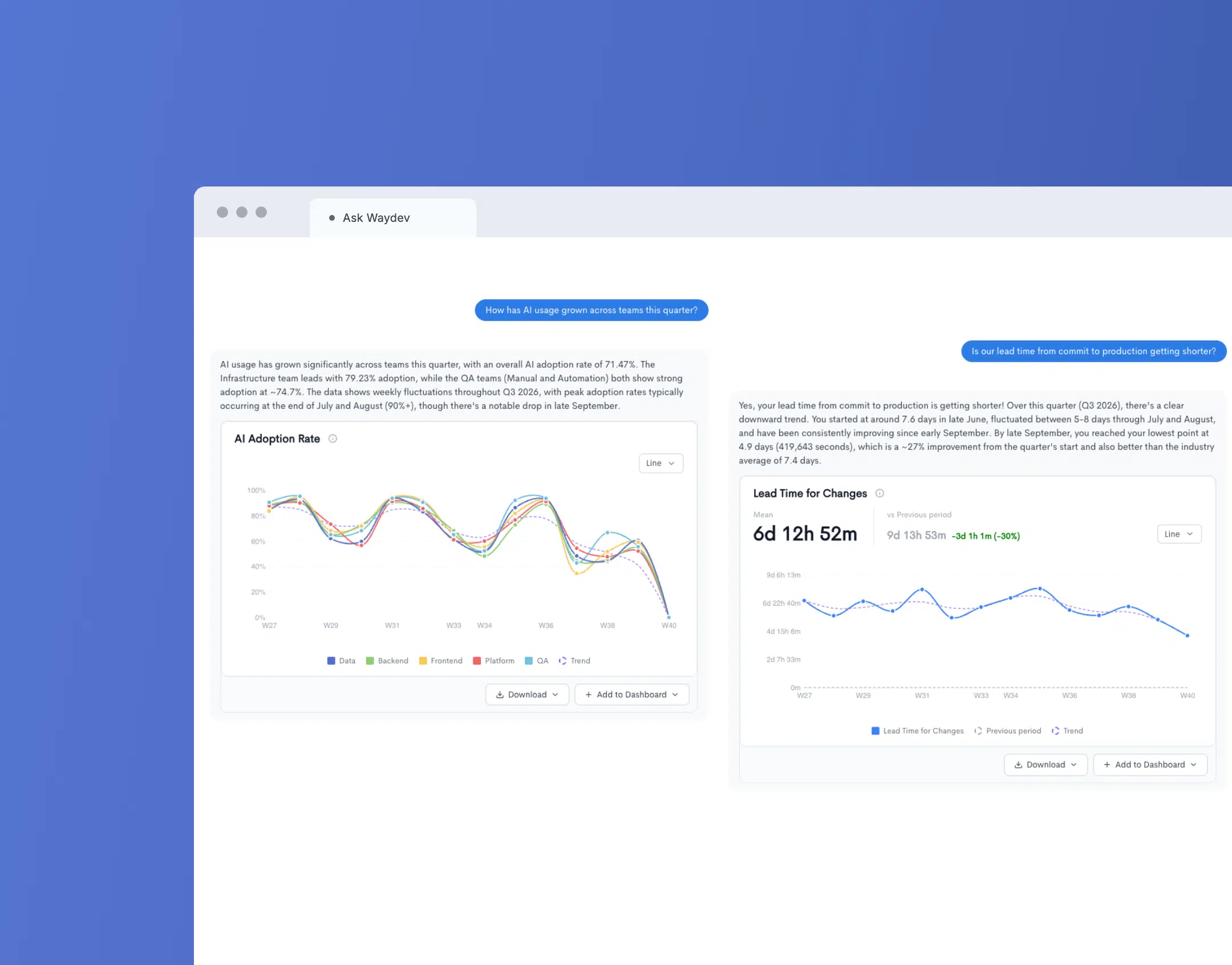
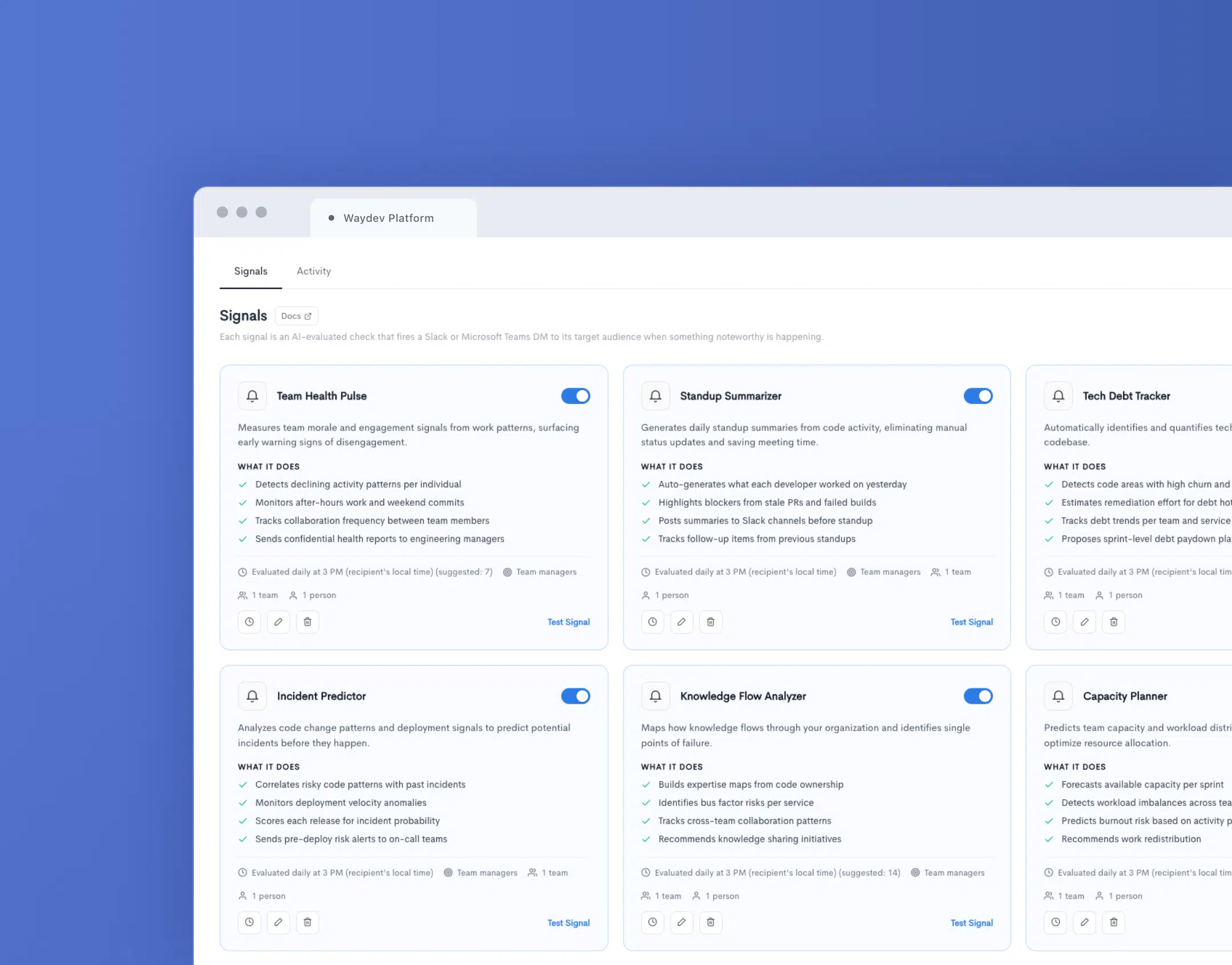
Waydev Agent can answer questions over connected engineering data. Signals surface delivery changes; AI-suggested Goals track objectives; Prompt Dashboards assemble editable reporting from natural-language prompts. AI Adoption, Impact and ROI help assess the outcomes and cost of AI-assisted work.
A migration plan that protects historical reporting
- Export Flow dashboards and historical metrics before the end of service.
- Verify Git and issue-tracker connectors, team identities and metric definitions.
- Compare Waydev dashboards with a parallel baseline on matching repositories.
- Test private Brain deployment, Signals and organization permissions before cutover.
Compare migration approaches in the related Waydev guide. Waydev pricing is private, with commercial terms discussed directly with enterprise buyers. Request a Waydev Brain migration demo.
Product and deployment claims follow Waydev’s published feature descriptions; specific migration assistance and historical-data availability must be confirmed for each customer.
Before anything else: export your Flow history
Do this first, before you take a single demo, including ours. Flow holds years of engineering history that nobody else has: cycle time trends, review patterns, commit level baselines, and the dashboard definitions someone on your team spent two quarters tuning.
Pull the following out of Flow while your account is still live:
- Raw metric exports from Team health insights, Review collaboration, Retrospective, and Work log, at team and org level, for the longest window your plan allows
- Ticket log and Deployment log exports, since these carry your DORA baselines
- Screenshots or written definitions of every custom dashboard, saved filter, and report configuration. The data is recoverable. The reasoning behind a bespoke dashboard usually is not, especially if the person who built it has left
- Your team structure: team names, membership, and the developer alias and identity mappings Flow built up over the years
- Your ticket project configurations, including which Jira statuses count as Done and which are excluded
Then ask every vendor you evaluate one question: can you ingest this, or do we start from zero?
What actually needs to migrate
Here is the part that makes this easier than it looks. Flow is a Git first platform. So is Waydev. Neither tool is the system of record for your engineering data. Your Git provider is. Your issue tracker is. Your CI system is.
That means the migration is not a data transfer in the traditional sense. It is a re-pointing of integrations, plus a rebuild of the reporting layer on top. Waydev reads your repository history directly, so the metrics that took Flow years to accumulate are recomputed from source rather than copied across.
| Category | How it moves | Effort |
|---|---|---|
| Git history, PR history, review activity | Recomputed from your Git provider during backfill | Automatic |
| Ticket and sprint data, deployment events | Recomputed from Jira, Azure DevOps, or your CI provider once connected | Automatic |
| Teams, identities, dashboards, targets | Configuration, not data. This is the part you rebuild | Plan for it |
Report and metric mapping
Every capability your team relies on in Flow has a direct equivalent. Use this table to work through your own report inventory before you start.
| In Appfire Flow | In Waydev | Notes | |
|---|---|---|---|
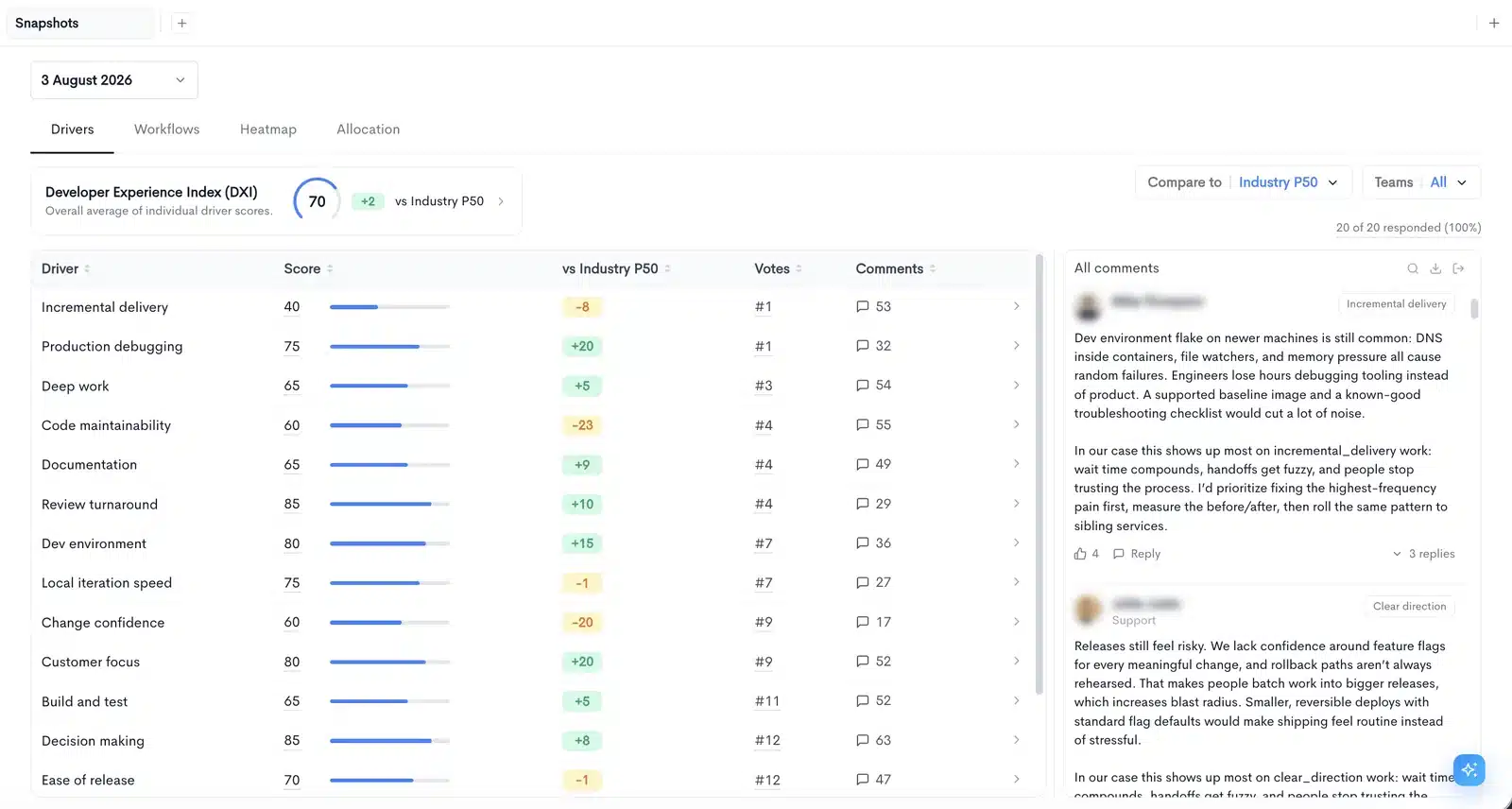
| Team health insights | Insights, Benchmark | Direct | Benchmark compares teams against the rest of your company rather than an external index |
| Review collaboration | Pull Requests Insights, Merge Quality | Direct | Review workflow and reviewer distribution, plus merge level quality signals Flow did not carry |
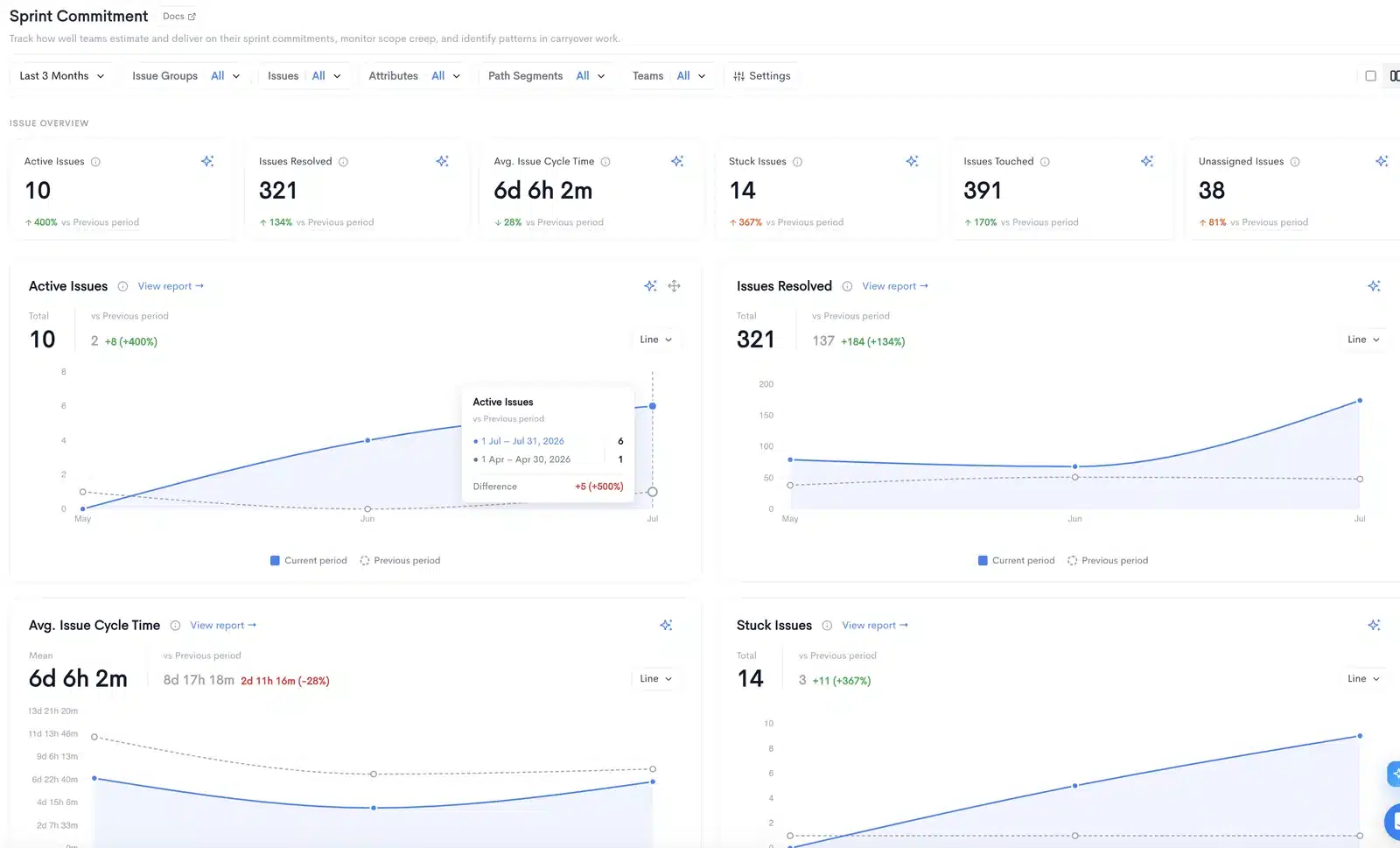
| Retrospective | Velocity Report, Sprints Commitment | Direct | Sprint over sprint comparison, commitment versus delivery, workload distribution |
| Work log | Cycle Time, Insights | Reframed | Waydev leads with the delivery pipeline view rather than the individual activity swimlane |
| Sprint movement | Sprints Commitment | Direct | Scope added and removed mid sprint, and who absorbs it |
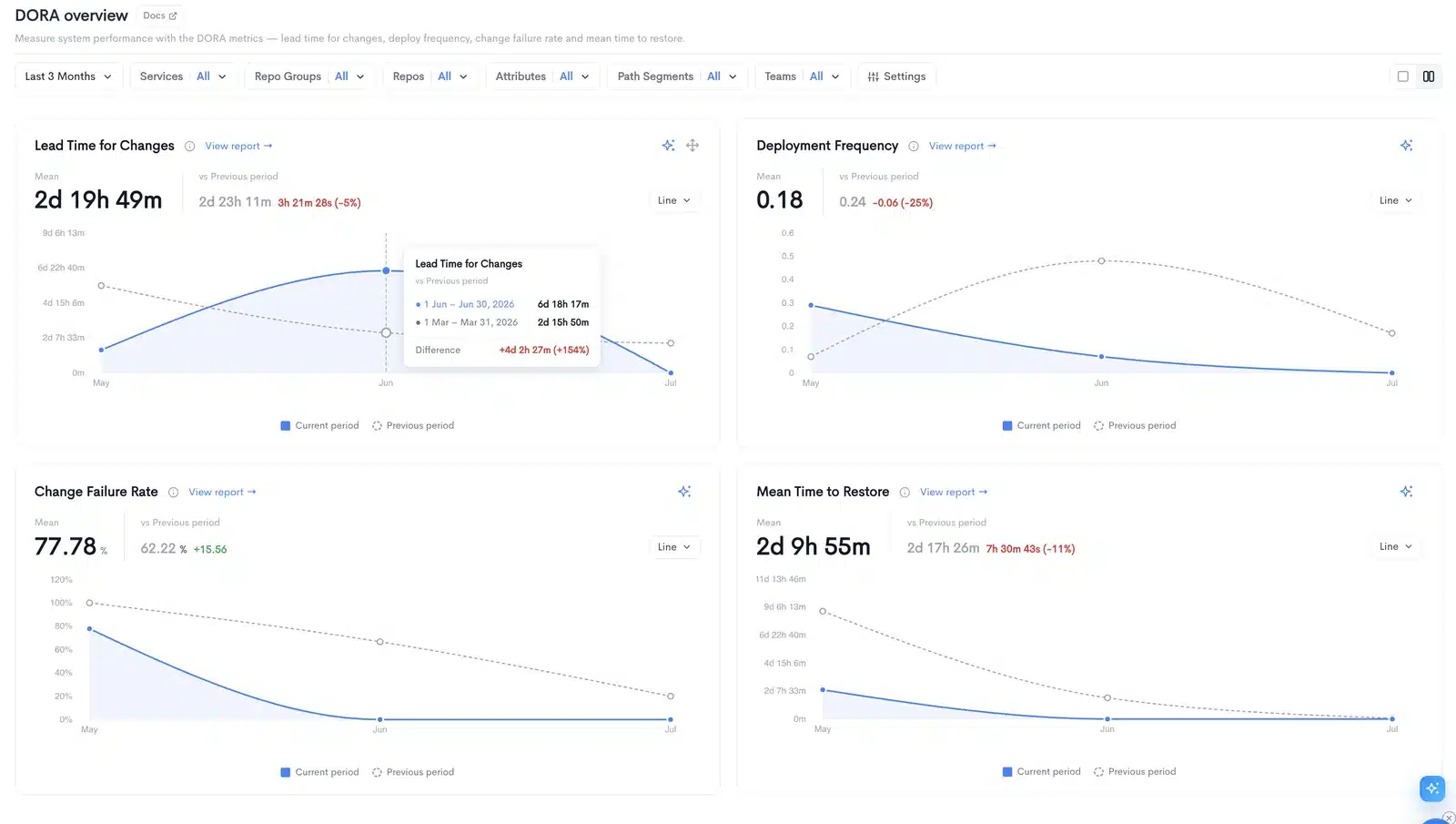
| DORA tiles in Retrospective | DORA Metrics | Direct | A first class dashboard rather than tiles inside another report |
| Investment, Project timeline | Resource Allocation, Project Costs, Cost Capitalization | Direct | Where engineering effort and spend go, in a form finance will accept |
| Check-in | Developer Experience, Custom Reports | Direct | Survey based signal alongside system data |
| Ticket log, Deployment log | Hygiene, DORA Metrics | Direct | Hygiene surfaces linked and unlinked PRs, where most correlation problems live |
| Saved reports, custom views | Custom Dashboards, Custom Metrics, Targets | Direct | Custom Metrics accepts formulas, so a trusted Flow metric can be reproduced rather than approximated |
| tt100, line of code scoring | Not offered | By design | See below |
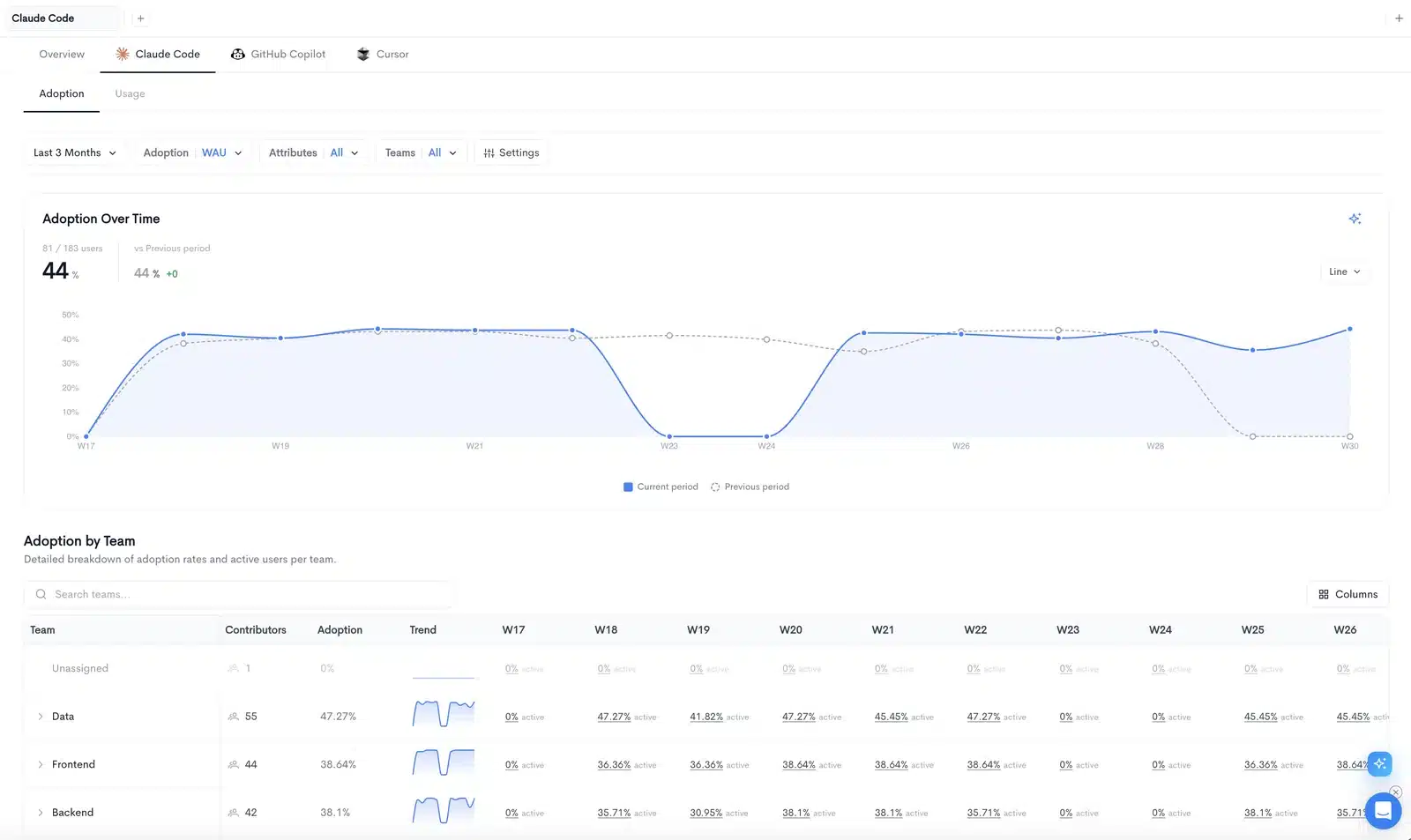
| Nothing equivalent | AI Adoption, AI Impact, AI ROI, Waydev Agent | New | The measurement problem that did not exist when Flow was designed |
Two examples of where your Flow reports land:
The one metric that does not port
Flow defines tt100 as the time it takes an engineer to write 100 lines of code. If that metric appears in your leadership reporting, the migration is a good moment to retire it rather than recreate it. Volume based scoring was already questionable in 2019. In an organization where a meaningful share of code is now AI assisted, lines per hour measures the tool, not the engineer.
Waydev never shipped that model. If a stakeholder asks where tt100 went, the honest answer is that the underlying question, are we shipping efficiently, is better answered by cycle time, review latency, and delivery throughput, all of which port cleanly.
What Flow never had
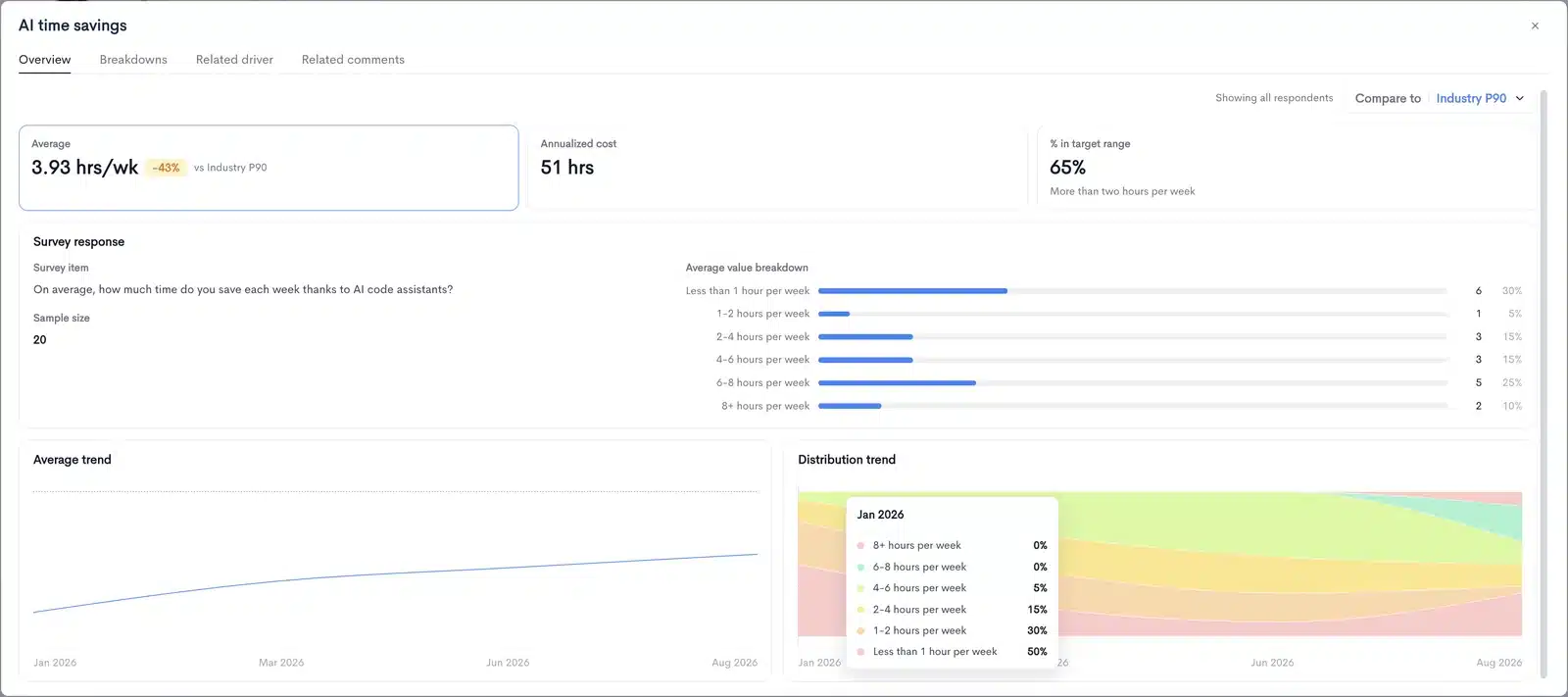
Flow was designed before AI assistants entered the SDLC. If a meaningful share of your code is now agent written, this is the reporting your board will ask for next:
Prerequisites
- Admin or owner access on the GitHub organization, GitLab group, Bitbucket workspace, or Azure DevOps organization you want to connect
- Admin access on Jira or your issue tracker, for ticket correlation and sprint reporting on day one
- Your Flow team structure exported, so you are not rebuilding it from memory
- A decision on identity mapping. Flow resolves engineers through aliases built up over years of commits with mismatched emails. Waydev does the same resolution, but check the merged identities rather than assuming
- Agreement from your security team. Waydev is SOC 2 and SOC 3 attested, supports SSO and SCIM, and offers self hosted deployment where a security review demands it
Performing the migration
- Connect your Git provider. Authorize GitHub, GitLab, Bitbucket, or Azure DevOps. Use the app based install rather than a personal access token, so the connection does not break when the person who set it up changes roles.
- Select repositories. Start with the repositories your Flow reporting already covers. Adding the rest later is a checkbox, and a narrower first import gets you to real numbers faster.
- Let the backfill run. Waydev pulls historical commit, PR, and review data and computes your metrics from it. Depending on repository count and history depth this runs from minutes to a few hours.
- Review identity resolution. The step most teams rush and later regret. Confirm engineers with multiple commit emails are merged into single identities, and that bots, service accounts, and vendor accounts are excluded. Ten minutes here saves a month of arguments about whose numbers look wrong.
- Recreate your teams. Import your Flow team structure. Match names exactly if leadership recognizes them, even where you would restructure given the choice. Familiar labels reduce friction in the first executive review.
- Connect Jira or your tracker. Authorize, select projects, map workflow statuses. Pay attention to which statuses count as Done, since this is where your Flow numbers and Waydev numbers diverge if configurations do not match.
- Connect your CI or deployment source. This lights up deployment frequency and lead time for changes in the DORA dashboard.
- Open the DORA and Cycle Time dashboards. You now have live data. This is usually the same afternoon.
Rebuilding your Flow reports
Once the data is in, the remaining work is the reporting layer. Most Flow reports have a standard Waydev dashboard behind them, so start there and build custom only where the standard view genuinely does not answer the question.
- List every Flow report that someone actually opens. Not every report that exists. In most organizations this is between four and eight, and half are opened by one person.
- For each one, write down the decision it drives. If nobody can name the decision, do not rebuild it. A migration is the cheapest opportunity you will ever get to delete reporting nobody uses.
- Map each surviving report to a standard dashboard first. Most land on Insights, Cycle Time, Pull Requests Insights, DORA Metrics, or Velocity Report without modification.
- Build the remainder in Custom Dashboards. Where a Flow metric had a formula your team trusted, reproduce it in Custom Metrics rather than substituting the closest standard metric and hoping nobody notices the step change in the trend line.
- Set Targets and Notifications. Flow reporting was largely pull based, meaning someone had to remember to open it. Set thresholds so the platform tells you when a team crosses a line.
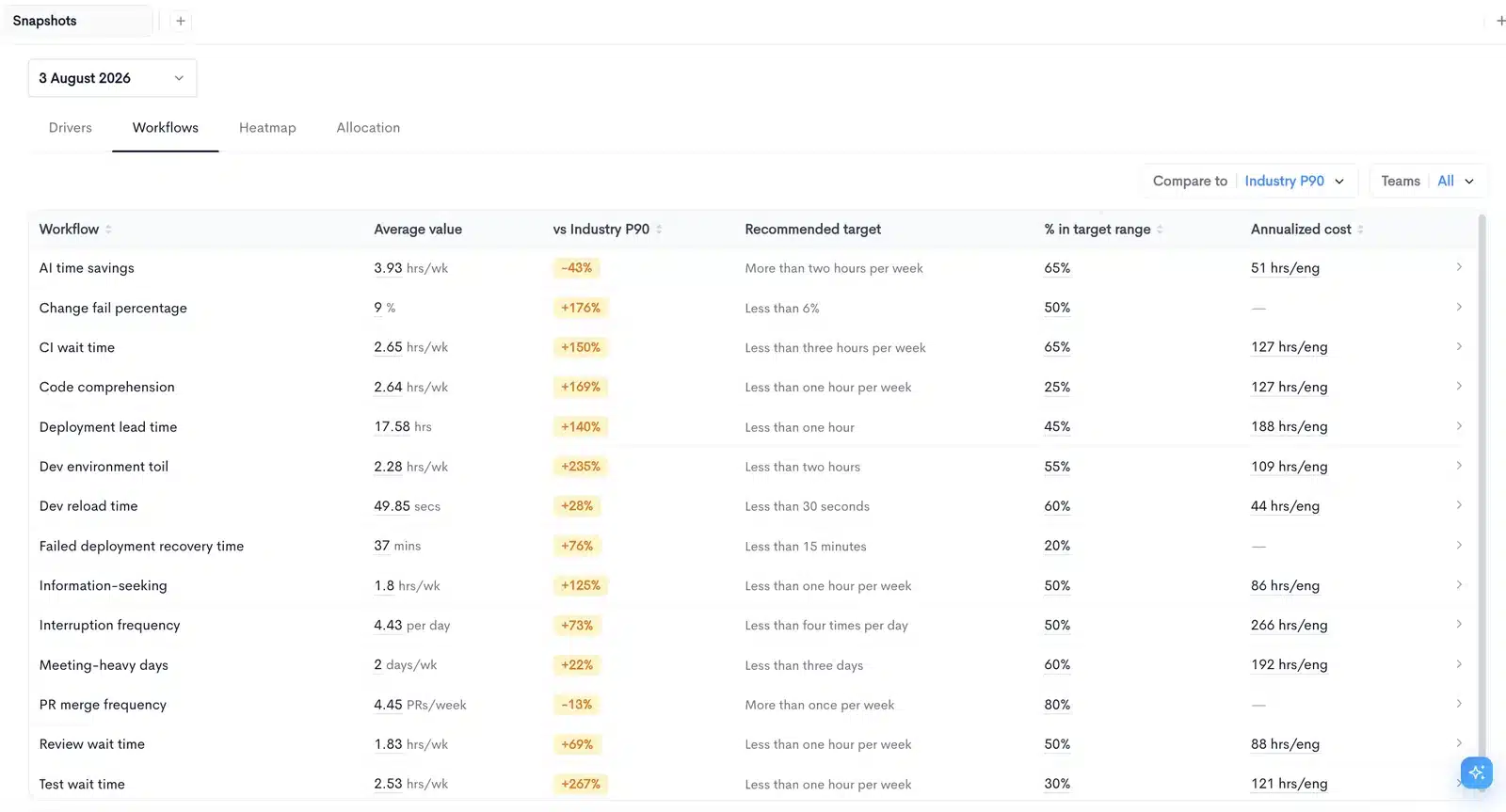
A common Flow setup is a weekly review built on Team health insights plus a Retrospective comparison across the last three sprints. In Waydev that becomes one Custom Dashboard combining Bird’s-Eye View, Cycle Time by stage, Sprints Commitment for delivery, and DORA Metrics for quality. Add a Notification on cycle time regression above your threshold and the meeting changes character: it stops being a status readout and becomes a discussion about the two teams that moved.
What else Waydev connects to
If your stack is broader than Flow’s coverage: Jira, Azure DevOps Boards, Linear, Shortcut, GitHub Actions, GitLab CI, Jenkins, CircleCI, PagerDuty, Opsgenie, Slack, and Microsoft Teams. Waydev also ships an MCP server, so your engineering metrics are queryable from the AI tooling your teams already use rather than locked behind a dashboard login.
Four weeks, not a six month RFP
You have a deadline, but you do not need a formal procurement cycle to meet it.
- Export and inventory. Pull everything out of Flow. Apply the “what decision does this drive” test. Settle who owns the migration.
- Shortlist two or three platforms. Ask each to connect to a real repository and show your data in their product. One live connection tells you more than an hour of slides.
- Rebuild in the leading candidate. Run your normal weekly review from the new platform in parallel with Flow.
- Compare and choose. Where numbers differ, find out why before deciding. The difference is usually a configuration mismatch, and understanding it is what builds trust in the new numbers.
Two questions for every vendor, including us
What happens to my data if you get acquired? Flow customers have now lived through this twice. Ask for export terms in writing rather than assuming a standard SaaS offboarding process.
Who owns you? Waydev is bootstrapped and profitable, with Fortune 500 customers including American Express, Dropbox, Caterpillar, and PwC, and a USPTO patent in Git analytics. There is no fund with a clock running on it, and no parent company deciding whether this product still fits the portfolio. After Flow, stability is a feature. Ask every vendor about theirs.
Start with one repository
Connect it and you will have real numbers the same afternoon, with history backfilled automatically. Your continuity stops depending on what is left of Flow’s lifespan.
Request an enterprise demo Open the live demo