





Health
Developer Experince (DX)
At Waydev, we understand that engineering team performance and satisfaction are closely connected. That’s why we created the Developer Experience (DX) Module, designed to give leaders the insights they need to identify the challenges their contributors face and unlock their full potential.
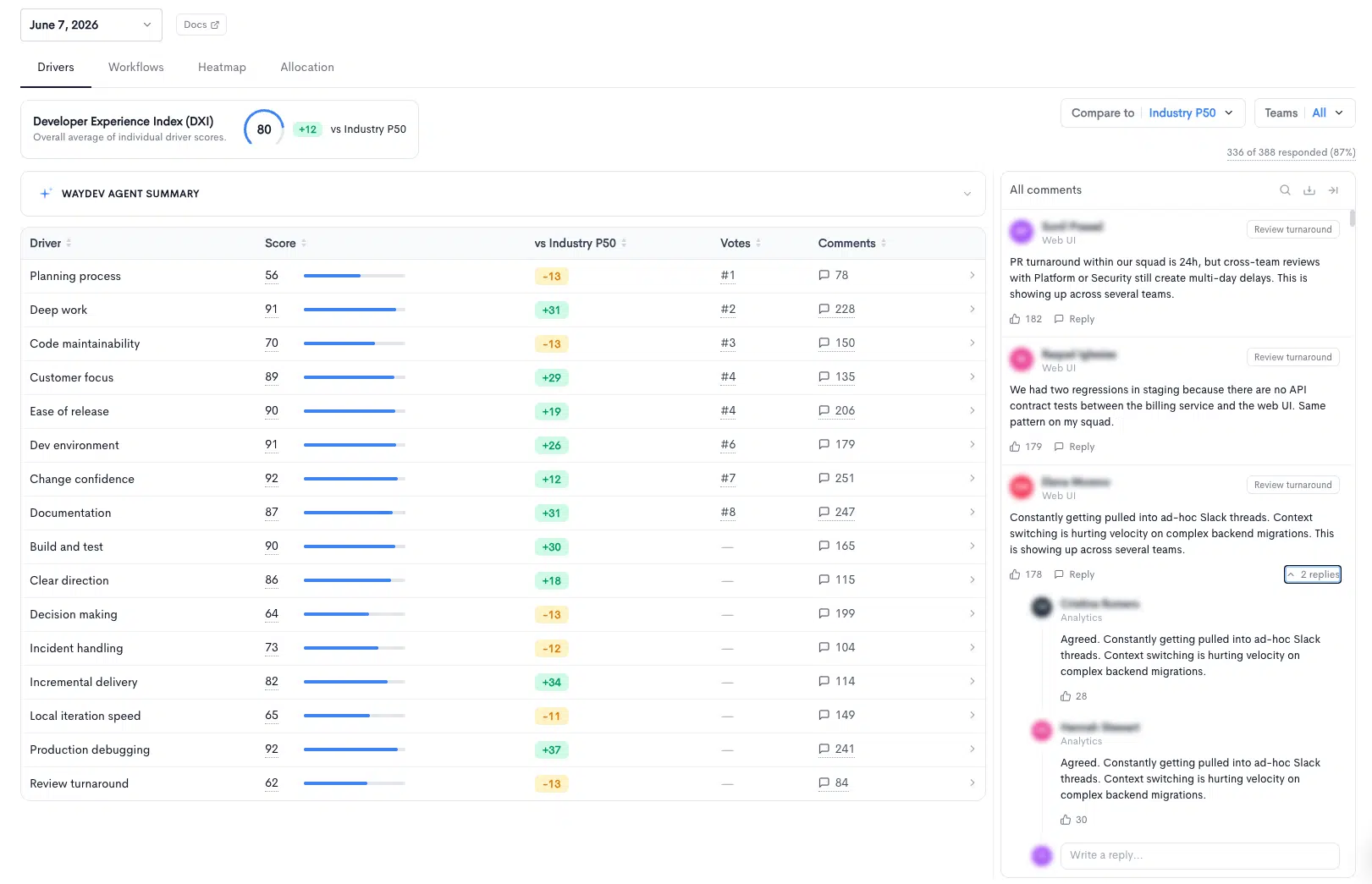
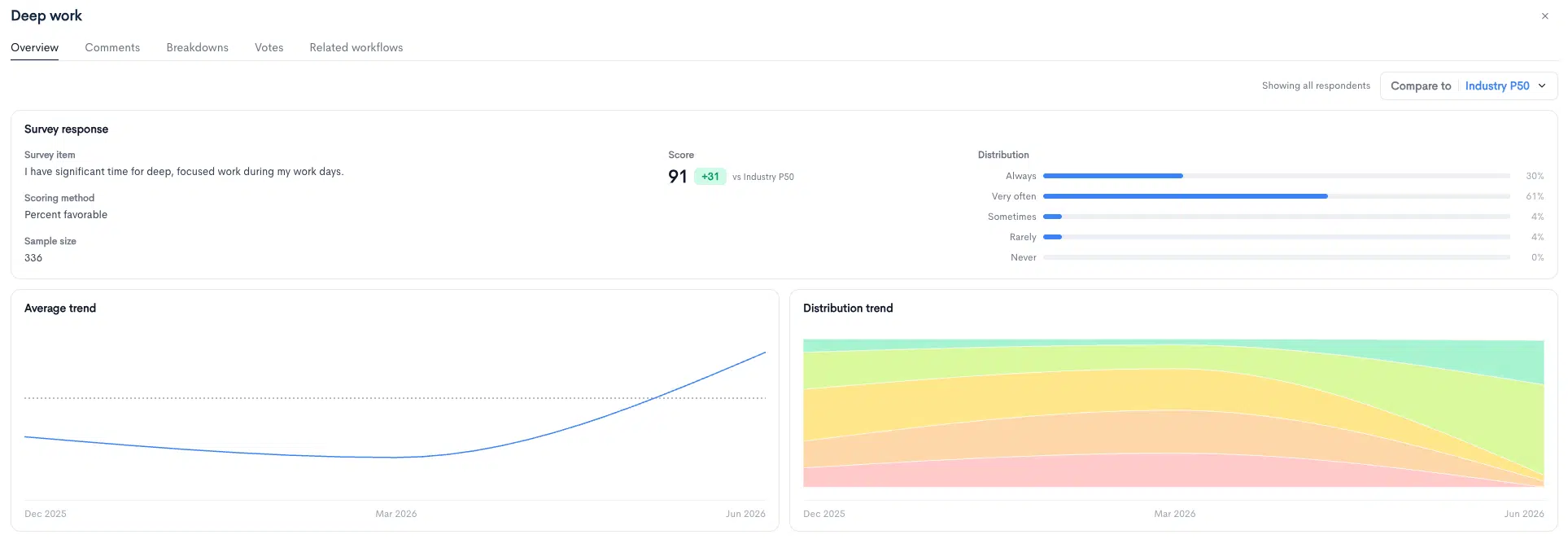
Understand Every Driver Behind Your DXI
- Open any driver to see the exact survey question, the scoring method, the sample size and how responses spread from “Always” to “Never.”
- Follow the average and distribution trends over time to see whether the changes you made are actually moving the score.

Hear What Your Engineers Are Saying

Pinpoint Bottlenecks Across Your Workflows
- Workflows measure day-to-day friction in the SDLC: CI wait time, review wait time, dev environment toil, interruptions, meeting-heavy days and more.
- Every workflow shows the average value, the gap to industry, the recommended target, the % of engineers within the target range and the annualized cost.
- Hover over any value to see the survey question and the answers behind it.

Go Beyond the Average
- Average, Cost and Target Range: See the average value, annualized cost and % in target range for every workflow side by side.
- Full Response Breakdown: See how many engineers chose each answer, so you know whether a problem is widespread or limited to a small group.

Turn Developer Friction into Business Cost
- Snapshots calculates the annualized cost of each workflow. It compares actual values against the benchmark and converts the gap into hours per engineer per year.
- Enter an annual salary to turn those hours into dollars, and give leadership a clear, data-backed figure for what friction costs.

Compare Drivers Across Every Team
- The Drivers heatmap shows the DXI and every driver score for every team, color-coded so weak spots stand out at a glance.
- Expand the team tree from organization-wide down to individual squads to find exactly where experience is breaking down.

Track Workflow Values Team by Team
- Workflows (avg value) shows real values for every team in one view: hours per week, minutes and interruptions per day.
- Compare against benchmarks, filter by team and choose the columns that matter most to you.

See Where Engineering Time Goes
- New Work vs. KTLO: See how engineering time splits between new capabilities, KTLO (keeping the lights on) and maintenance, and other work, compared with Industry P50.
- Inside KTLO: Break maintenance time down into incidents, external customer support, internal requests and system upkeep, to see what pulls engineers away from building.
Trusted by FORTUNE 500 enterprise companies














READY TO ADOPT A DEVELOPER PRODUCTIVITY INSIGHT PLATFORM?