TL;DR. SEI platforms pull data from Git, issue trackers, CI/CD and, increasingly, AI coding assistants, then turn it into DORA metrics, cycle time, delivery risk and cost reporting. The category split in two during 2026: dashboard-era tools that report on human-written code, and AI-era platforms that also measure AI adoption, impact and ROI. Waydev sits in the second group, with on-premise deployment, custom metrics and the WAY Framework for AI measurement.
Key takeaways
An SEI platform aggregates software delivery data across the SDLC and turns it into decisions: where work stalls, which teams need support, and what engineering spend is returning.
The evaluation criteria changed in 2026. AI coding tool measurement, deployment flexibility and finance-grade reporting now separate the leaders from the dashboard vendors.
Most platforms in this list cover DORA and cycle time competently. The real differences show up in customization, deployment options, enterprise scale, and whether a tool answers a question or just displays a chart.
The category consolidated in 2025 and 2026: Atlassian acquired DX for roughly $1 billion, and Appfire’s Flow, the product formerly known as GitPrime and then Pluralsight Flow, is scheduled to retire in December 2027.
Twenty platforms are compared below, each with its strongest use case and its honest limitations, so you can shortlist against your own constraints.
Engineering intelligence platform selection: what to measure and why
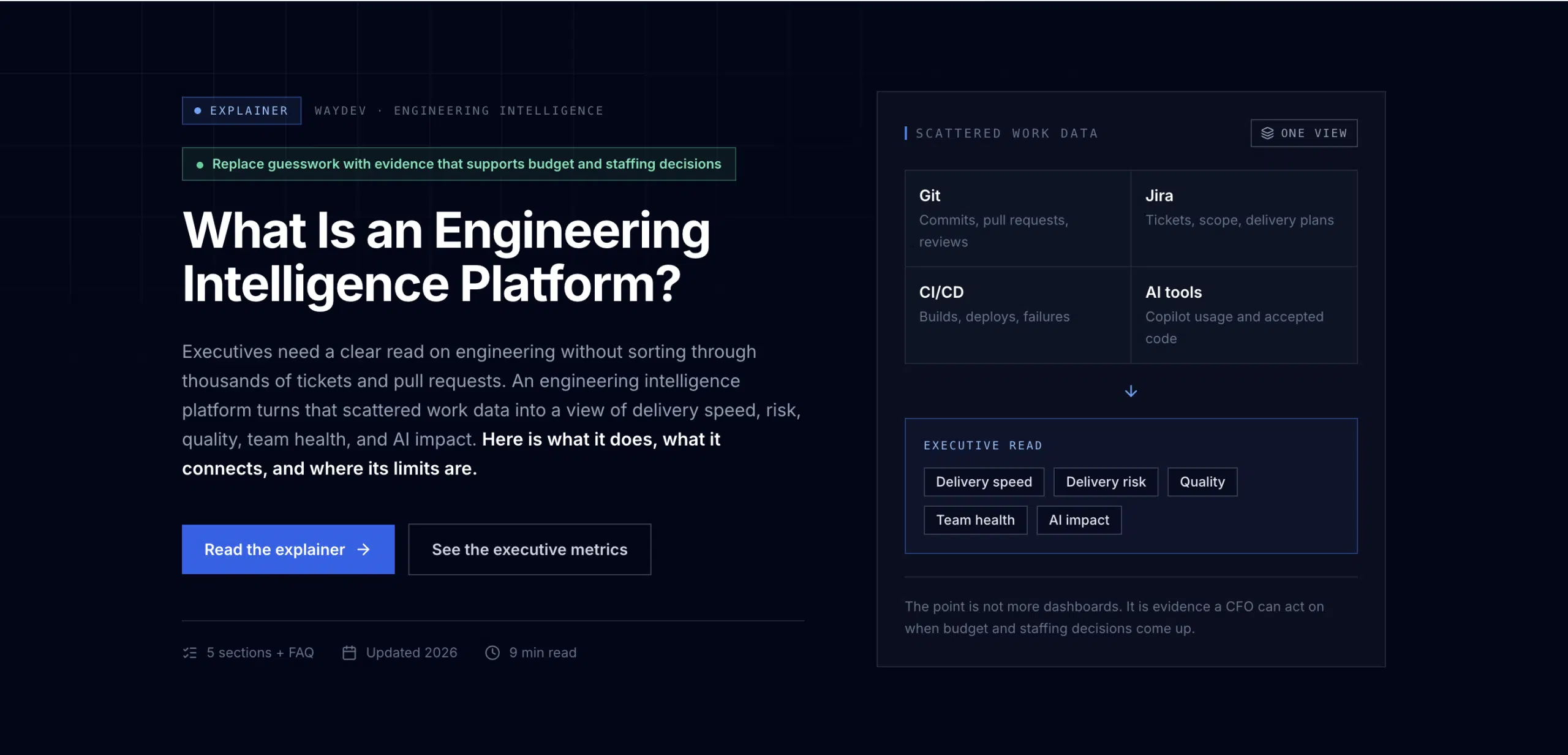
An engineering intelligence platform should unify repository, ticket, CI/CD and AI tool signals so leaders can ask what changed, why it matters, and how investment relates to delivery quality. Verify data lineage, governance, access rules and on-premise or air-gapped options during an enterprise pilot.
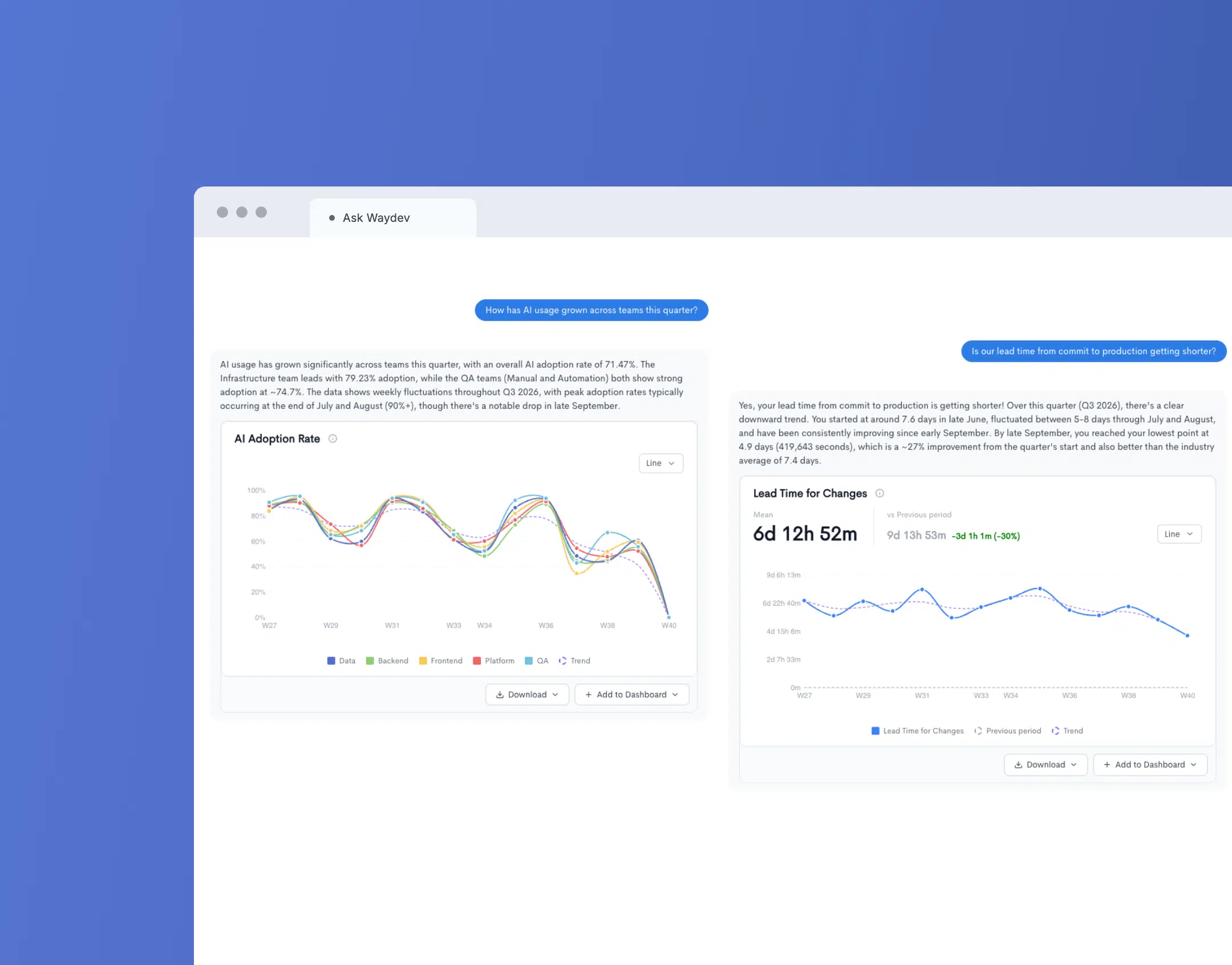
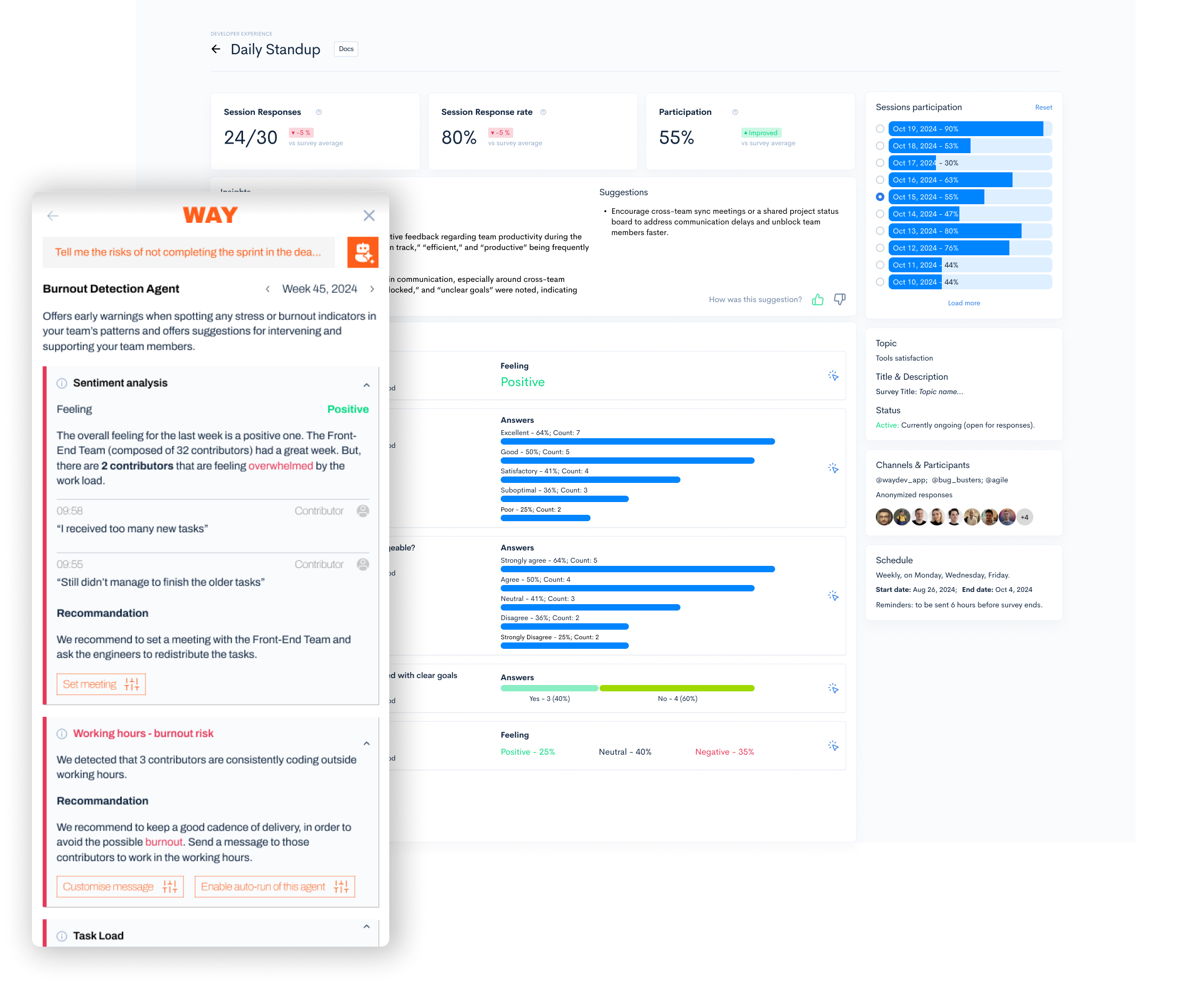
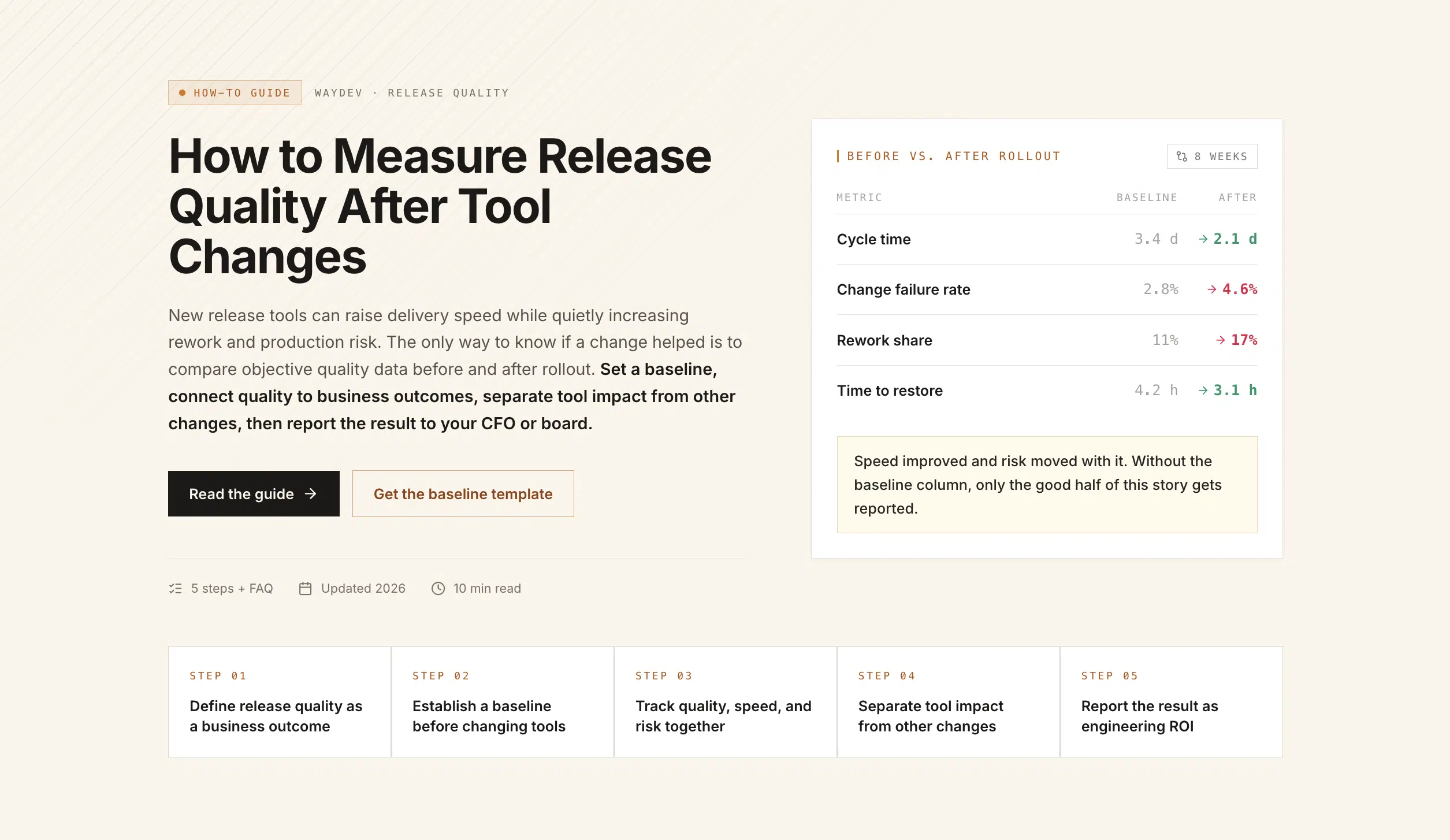
Prompt Dashboards and consistent metrics — a Waydev product image, not independent evidence of improved ROI.
Evidence and comparison method
Document the measurement window, coverage gaps, attribution assumptions, team boundaries and quality controls. For a reproducible AI ROI approach see Waydev’s AI coding ROI research protocol. The Agent Registry describes the metadata and ownership model, and AI Governance and Limits details budget alerts and policy controls. Avoid treating a vendor screenshot as a customer outcome or promising guaranteed savings.
Waydev-authored feature descriptions; verify integrations, model hosting and availability in your environment. Enterprise pricing is private.
What a software engineering intelligence platform actually does
A software engineering intelligence platform connects to the systems where engineering work already happens, normalizes what it finds, and turns it into metrics leaders can act on. In practice that means code repositories (GitHub, GitLab, Bitbucket, Azure DevOps), issue trackers (Jira, Linear, Azure Boards), CI/CD pipelines, incident tools and, in the newer platforms, AI coding assistants.
The output falls into four buckets. Delivery covers DORA metrics, cycle time, throughput and merge quality. Health covers review load, rework, hygiene and developer experience. Planning covers sprint predictability, resource allocation and delivery risk. Business covers project costs, investment distribution and cost capitalization.
The reason engineering leaders buy one is rarely curiosity about commit counts. It is a specific question they cannot answer with the tools they have: why the last three releases slipped, where a 400-person organization is losing two weeks of cycle time, or what the board should be told about the return on a seven-figure engineering budget.
What changed in 2026: measuring AI-assisted work
Most platforms in this category were designed between 2017 and 2022 to answer one question: how fast is the team shipping? That question still matters, but it no longer decides budgets on its own.
Engineers now work with GitHub Copilot, Cursor and Claude Code every day. Finance is paying for the seats. The board wants to know what the spend returned. Platforms built in the DevOps era have no native concept of AI-assisted work: they see commits and pull requests, and they cannot tell you which work was AI-assisted, how deep adoption actually goes, or whether adoption changed any outcome at all.
That gap is now the single most useful filter when shortlisting vendors. Ask each one three questions: can you show me AI adoption depth rather than seat counts, can you attribute a delivery change to AI usage, and can you produce an ROI number my CFO will accept. Waydev covers the chain through AI Adoption, AI Impact and AI ROI, which together form the WAY Framework. It is also the axis on which the category consolidated: Atlassian’s roughly $1 billion acquisition of DX, which closed in November 2025, was explicitly framed around closing the visibility gap on AI investments.1
Eight criteria for selecting an SEI platform
1
Decision support, not data displayThe platform should tell leaders what happened and what to do about it. If every insight requires an analyst to interpret a chart, the tool gets evaluated by committee and used by nobody.
2
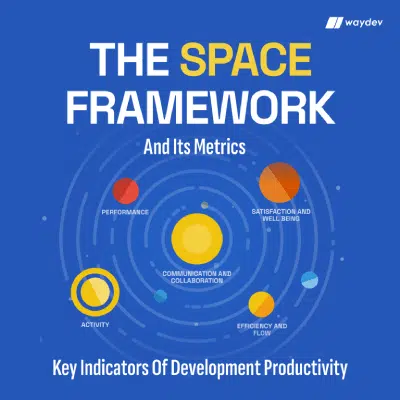
Metric coverageDORA, SPACE, Core 4, cycle time breakdowns and merge quality should be available out of the box, with definitions you can inspect and change.
3
AI measurementAdoption depth, impact on delivery outcomes and financial return on AI tooling. This is the fastest-moving requirement in the category.
4
CustomizationCustom dashboards, custom metrics and custom reports matter the moment your organization stops matching the vendor’s default model. Ask whether you can see and edit the query behind a metric.
5
Integration breadthGit provider, issue tracker, CI/CD, incidents, calendars and AI tools, plus an API that reads and writes.
6
Deployment and securityOn-premise or single-tenant options, SSO, role-based access and a security attestation your procurement team will accept. Several popular platforms are cloud-only, which ends the evaluation early in regulated industries.
7
ScaleA tool that works well for 40 engineers can fall apart at 4,000. Ask for a reference at your size, not the vendor’s median customer.
8
Time to first valueWeeks of integration work before the first useful number is a real cost, and a reliable predictor of whether the rollout succeeds.
The market at a glance
A starting shortlist. Read the full entry before ruling anything in or out.
Capability claims change quickly in this category. Verify anything decision-critical during your own evaluation rather than from any vendor’s comparison page, including this one.
Waydev: why it leads the category in 2026
Waydev is an AI-native software engineering intelligence platform built for engineering leaders who need to connect delivery, developer experience and cost in one model. It has served Fortune 500 engineering organizations including American Express, Dropbox, Caterpillar and PwC, holds a USPTO-granted patent on its Git analytics approach, and has been building on engineering data since 2017.
What sets it apart
Delivery and health in one model, not a dashboard layerDelivery metrics, developer experience and planning read from the same commit-level source, so a change in one shows up connected to the others rather than living in separate reports.
Full AI measurementAdoption, impact and ROI for tools like GitHub Copilot, Cursor and Claude Code, connected end to end in the WAY Framework.
Snapshots and automationSnapshots capture organizational health through benchmarked surveys, while Targets and the Waydev Agent track progress and flag risk as it forms.
Customization that survives contact with a real orgCustom dashboards, custom metrics and custom reports, with the formula behind each insight visible and editable.
Enterprise deploymentOn-premise and single-tenant options, SOC 2 Type II with a public SOC 3 attestation, enterprise access controls, and over 200 integrations. Details on the security page.
Potential downsides
The breadth of the platform means small teams that only want four DORA numbers will not use most of what they are paying for. Lighter tools are a better fit below roughly 30 engineers.
Full value depends on connecting issue tracking and CI/CD alongside Git. Git-only deployments see delivery metrics but not the planning and cost layers.
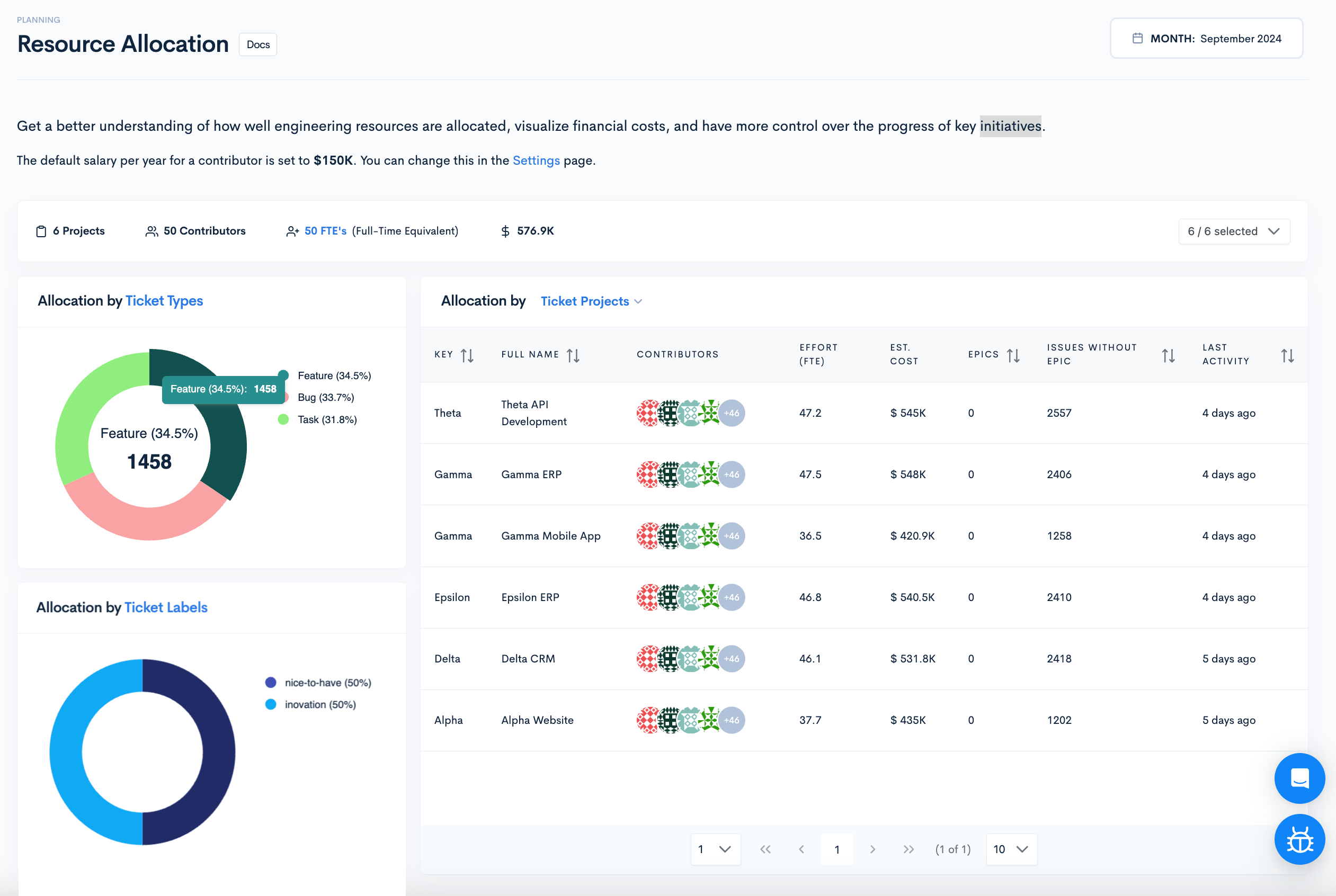
An engineering management platform focused on translating engineering effort into business and financial terms, aimed at executives who report resource allocation to finance.
Key features
Allocation and investment tracking. Categorizes work into roadmap, unplanned, infrastructure and support so leadership can see where time and money go.
Strategic alignment reporting. Connects work distribution to company priorities for board-level conversations.
Downsides
No on-premise deployment. Cloud only, which rules it out for organizations with self-hosting requirements.
Accuracy depends on manual tagging. Allocation reporting is only as good as your Jira hygiene, which is a recurring maintenance cost.
Limited customization. Custom dashboards and metrics are constrained compared with platforms built around an editable query layer.
A delivery intelligence platform that pairs workflow metrics with automation, best known for gitStream and policy-driven PR routing. It also runs a free tier for teams up to roughly 8 to 10 developers.2
Key features
Cycle time breakdown. Splits delivery into coding, review and deployment stages to expose where work waits.
Workflow automation. gitStream automates PR routing, review reminders and policy enforcement inside the existing process.
Downsides
Prescriptive model. Works best when your process matches its assumptions, and adapts less well to unusual branching or release models.
No on-premise deployment. Cloud only.
Limited custom metrics. Predefined templates cover common cases but constrain deeper analysis.
A developer experience platform built around survey research and the Core 4 framework. Atlassian’s acquisition of DX for approximately $1 billion in cash and stock closed on 10 November 2025, and DX now operates as part of Atlassian’s System of Work.1
Key features
Research-backed DevEx surveys. Structured instruments with a large benchmark dataset behind them.
Friction analysis. Surfaces where developers report losing time, which is difficult to see in system data alone.
Downsides
No on-premise deployment. Cloud only.
Limited reporting flexibility. Custom metrics and fully tailored dashboards are constrained compared with query-based platforms.
Roadmap uncertainty post-acquisition. DX states its non-Atlassian integrations and data neutrality remain a priority, but any acquired product’s independent roadmap is worth confirming directly before a long-term commitment.3
A developer productivity tool that balances delivery metrics with team health signals and investment tracking, with unusually strong developer buy-in and a stated philosophy against individual-level measurement.
Key features
Working agreements. Teams set their own norms and the platform nudges against them in Slack, which makes adoption feel collaborative rather than imposed.
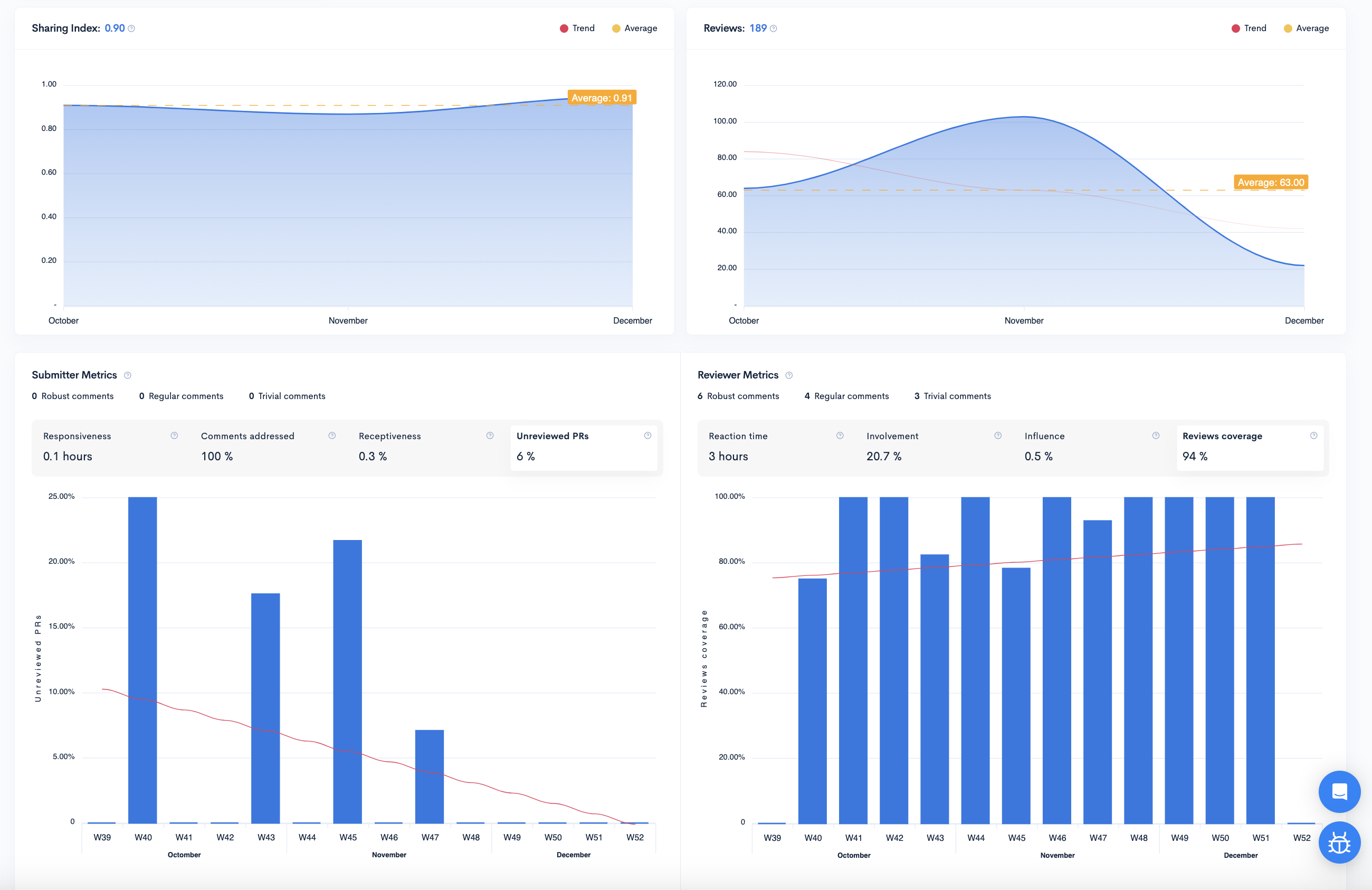
Pull request insights. PR size, review time and merge speed with clean visualizations.
Downsides
Team-level ceiling. Executive and finance use cases, including allocation and capitalization reporting, are outside its scope.
No AI ROI measurement. No financial model for AI tooling spend.
Engineering metrics focused on code quality, maintainability and technical debt, sold as a combined software plus advisory engagement rather than a standalone licence.
Key features
Velocity insights. A view of the main drivers affecting development speed.
Real-time blockers. Highlights bottlenecks in review and merge flow as they appear.
Downsides
No platform-only purchase. Code Climate states it does not sell the software without a paired advisory engagement, and its stated sweet spot starts around 50 developers.4
Narrow integration set. Primarily GitHub, GitLab and Bitbucket, which leaves out Azure DevOps, AWS CodeCommit and Gerrit users.
One of the original Git analytics tools. GitPrime, founded in 2014, was acquired by Pluralsight for $170 million in 2019 and renamed Pluralsight Flow. Appfire acquired Flow from Pluralsight in February 2025.5 It is no longer bundled with Pluralsight’s learning platform in any way; Pluralsight is not the current owner.
Appfire has announced Flow will be retired on 31 December 2027, with the window to renew a subscription having closed on 30 June 2026.6 Any organization still on this product needs a migration plan regardless of which other vendor it evaluates.
Key features
Code fundamentals. Impact, efficiency, commits per day and active days at the individual and team level.
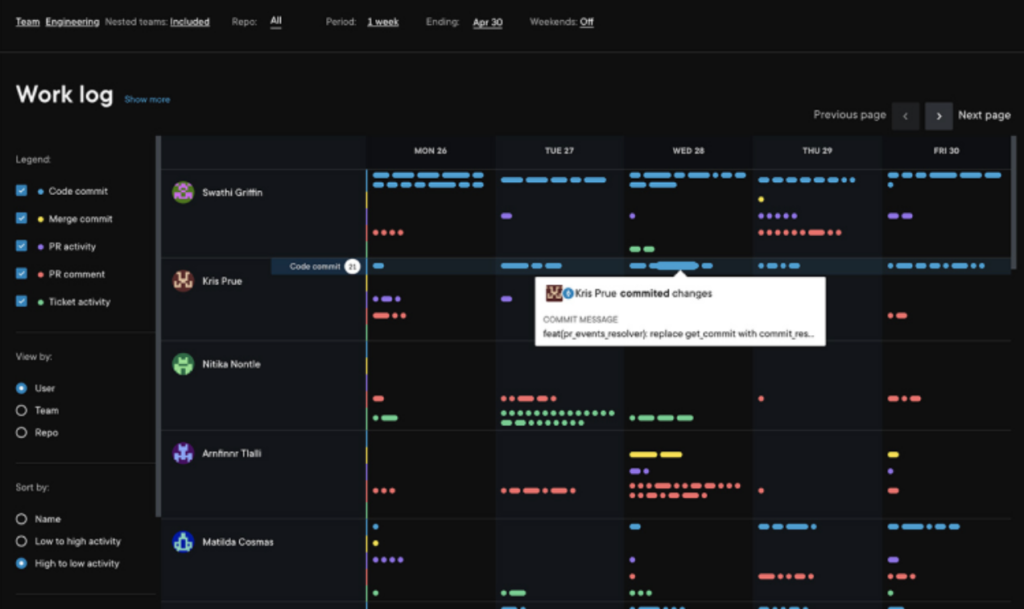
Work log and spot check. Lets managers review work patterns and outliers directly from Git data.
Downsides
Scheduled shutdown. No new purchases or renewals extending past the announced end-of-life.6
Individual-metric framing. Contributor scoring can create trust problems if not introduced carefully.
Limited customization. No custom dashboards, custom metrics, or granular role-based access controls historically.
Read the GitPrime vs Waydev vs Code Climate comparison for the code-level metric detail, and see Waydev’s dedicated migration guide for Flow customers if you are planning a move ahead of the 2027 deadline.
Allstacks
An engineering intelligence platform built around predictive forecasting, using machine learning models to project delivery dates and flag risk at the initiative level.
Key features
Proactive risk alerts. Categorizes delivery risks across dozens of types and alerts when a timeline is threatened.
Software capitalization reporting. Accounting-ready reports pulled from developer tools.
Downsides
Statistical rather than AI-native forecasting. Projections extrapolate history rather than reason about context.
Sprint-based assumptions. Less useful for trunk-based or continuous delivery models.
An engineering data platform that normalizes signals from a large number of sources into a queryable graph, aimed at organizations with unusual or fragmented toolchains.
Key features
Open data layer. Custom metrics and open integrations across 50 or more sources.
Flexible modeling. You define the schema rather than accepting a vendor’s model.
Downsides
You assemble the product. Real value requires data engineering resources to configure, maintain and interpret.
Long time to first value. Weeks rather than minutes, with a steep learning curve.
Query-based rather than guided. Answers require someone who knows what to ask and how.
A newer entrant with visibility dashboards, AI code attribution and a gamification module, with a customer base concentrated in regulated enterprises that require self-hosting.
Developer-level productivity measurement built around a proprietary Coding Effort metric, most often bought by organizations managing large outsourced engineering estates.
Key features
Coding Effort. Assesses the work behind code changes rather than raw volume, useful for vendor and contractor oversight.
Downsides
No DORA metrics. Limited value for teams optimizing software delivery performance specifically.
Individual focus. Little team-level analysis, bottleneck detection or workflow insight.
Cultural risk. Individual effort scoring needs careful handling to avoid damaging trust.
A deployment-centric tool built by former Atlassian engineers, tracking the delivery cycle from issue creation through production deployments, rollbacks and incidents.
Key features
Accurate deployment data. Connects directly to production and incident tools rather than inferring deploys from Git.
Fast DORA setup. Clean numbers with minimal configuration.
Downsides
Narrow scope. Trades breadth for deployment accuracy, with little coverage of planning, allocation or developer experience.
An engineering insights platform that pulls from calendars and chat alongside Git and Jira to measure focus time, meeting load and interruption patterns.
Key features
Deep work measurement. Quantifies how much uninterrupted time engineers actually get.
Burnout and collaboration signals. Machine learning models over everyday work tools.
Downsides
Privacy sensitivity. Calendar and chat ingestion needs careful communication with engineering teams and works councils.
Limited delivery and cost reporting. Weaker on DORA depth, allocation and capitalization.
A delivery analytics platform recognized by analyst firms, mining data from delivery toolsets to produce predictive insight, with a strong presence in the UK, Europe and the Middle East.
Key features
Configurable delivery metrics. Detailed value stream and flow measurement across teams.
Analyst-recognized methodology. Useful in procurement processes that weight external validation.
Downsides
Configuration overhead. Flexibility comes with setup and ongoing tuning work.
An internal developer portal rather than a pure SEI platform, focused on service ownership, catalogs and engineering standards. It appears in SEI evaluations because scorecards overlap with engineering health reporting.
Key features
Service catalog and ownership. Determines who owns what across large repository estates.
Scorecards. Codifies standards and tracks service maturity against them.
Downsides
Different problem. Strong on standards and ownership, thin on delivery analytics, allocation and AI measurement.
Catalog maintenance. Value depends on keeping the catalog accurate as the estate changes.
Another internal developer portal, built around a flexible software catalog and self-service actions, frequently shortlisted alongside SEI platforms by platform engineering teams.
Key features
Flexible data model. You define the entities and relationships in the catalog.
Self-service developer actions. Scaffolding and workflows run from the portal.
Downsides
Not an analytics platform. Delivery, developer experience and cost intelligence are outside its purpose.
Build-it-yourself. The flexibility requires a platform team to own the implementation.
The rest of the category shares a profile: Git and Jira dashboards, DORA metrics, sometimes a survey module, occasionally an AI summary feature added on top. They are worth knowing about, and worth a look if one of them fits a specific constraint you have.
Second-tier and specialist platforms, in brief.
Platform
Profile
Consider it when
Minware
Detailed cost and effort attribution from Git and Jira
You want granular engineering cost analysis
DevDynamics
Velocity and quality dashboards for mid-market teams
You need AI adoption, impact and ROI in one modelWaydev. This is the clearest gap in the rest of the category.
You need on-premise or single-tenant deploymentWaydev, Harness SEI or Oobeya. Jellyfish, DX, Swarmia and most lighter tools are cloud only.
Your primary buyer is financeWaydev or Jellyfish, with Allstacks worth a look for capitalization reporting alone.
Your primary problem is code review latencyLinearB or Swarmia.
You want qualitative developer sentiment above allDX (now inside Atlassian), with Swarmia as a lighter alternative and Waydev’s Snapshots as a comparable option that stays outside the Atlassian ecosystem.
You have a data team and an unusual toolchainFaros AI or Logilica.
You are under 30 engineers and want DORA quicklyHaystack, Sleuth or Typo.
You need service ownership and standards rather than analyticsCortex or Port.
You are currently on Appfire FlowA migration is on your roadmap regardless of what you choose next; see the Appfire Flow entry above for the announced timeline.
Frequently asked questions
What is a software engineering intelligence platform?
A system that aggregates data from across the software development lifecycle, including code repositories, issue trackers, CI/CD pipelines and AI coding tools, and turns it into metrics and recommendations that engineering leaders use to improve delivery, health, planning and cost.
What is the difference between SEI platforms and DORA dashboards?
A DORA dashboard reports four delivery metrics. An SEI platform covers those metrics plus developer experience, planning, resource allocation and financial reporting, and connects them in one data model so a change in one area can be traced to its effect elsewhere.
Which SEI platforms measure AI coding tools?
Coverage varies widely. Waydev measures adoption depth, impact on delivery outcomes and financial return for tools like GitHub Copilot, Cursor and Claude Code. Several competitors report seat-level usage, which shows who has a licence rather than whether the investment is working.
Do SEI platforms track individual developers?
Most can, and how you use that capability matters more than whether it exists. Contributor-level data is appropriate for coaching and for spotting people who are overloaded or blocked. Using it for ranking or performance review is the fastest way to lose team trust and to corrupt the underlying data.
How long does an SEI rollout take?
Connecting a Git provider takes minutes with most modern platforms. Full organizational rollout, including issue tracking, CI/CD and AI tools, takes days on the faster platforms and weeks or months on the enterprise tools that require data mapping workshops and dashboard configuration.
Are on-premise SEI platforms available?
Yes, though fewer than buyers expect. Waydev, Harness SEI and Oobeya offer self-hosted deployment. Jellyfish, DX, Swarmia and most lightweight tools are cloud only, which frequently ends an evaluation in regulated industries.
Is GitPrime, Pluralsight Flow, or Appfire Flow the tool I’m being asked to evaluate?
All three names refer to the same product lineage. GitPrime was acquired by Pluralsight in 2019, then Flow was acquired by Appfire from Pluralsight in February 2025.5 Appfire has announced the product will retire on 31 December 2027, with renewals already closed as of 30 June 2026.6 If you were evaluating this tool as a going concern, that timeline changes the decision.
Summary
Every platform on this list can produce a cycle time chart. That is no longer the decision. The decision is whether the platform can tell you why the number moved, whether AI tooling had anything to do with it, and what the return on that spend was, in a form your CFO and your board will accept.
Shortlist against your own constraints: deployment model, organization size, primary buyer and the specific question you cannot currently answer. Then test each finalist on your own data rather than a demo dataset, because the difference between these platforms shows up in the messy parts of a real repository history, not in a curated walkthrough.
See it on your own data
Connect a repository and get your first AI adoption, impact and ROI view in the same session.
Competitor details last verified September 2026. This category moves fast; we recheck this page each quarter, and the Appfire Flow end-of-life date in particular should be reconfirmed against Appfire’s own notice before every republish.